Nothing gets lost, mail gets through and you know about everything
Since the launch of the new generation of LightKeeper PRO, a series of updates has been released. The biggest new features address what hosting needs most: nothing lost by mistake, every change traceable, customer mail delivered reliably, and technicians learning about a problem before the customer does.
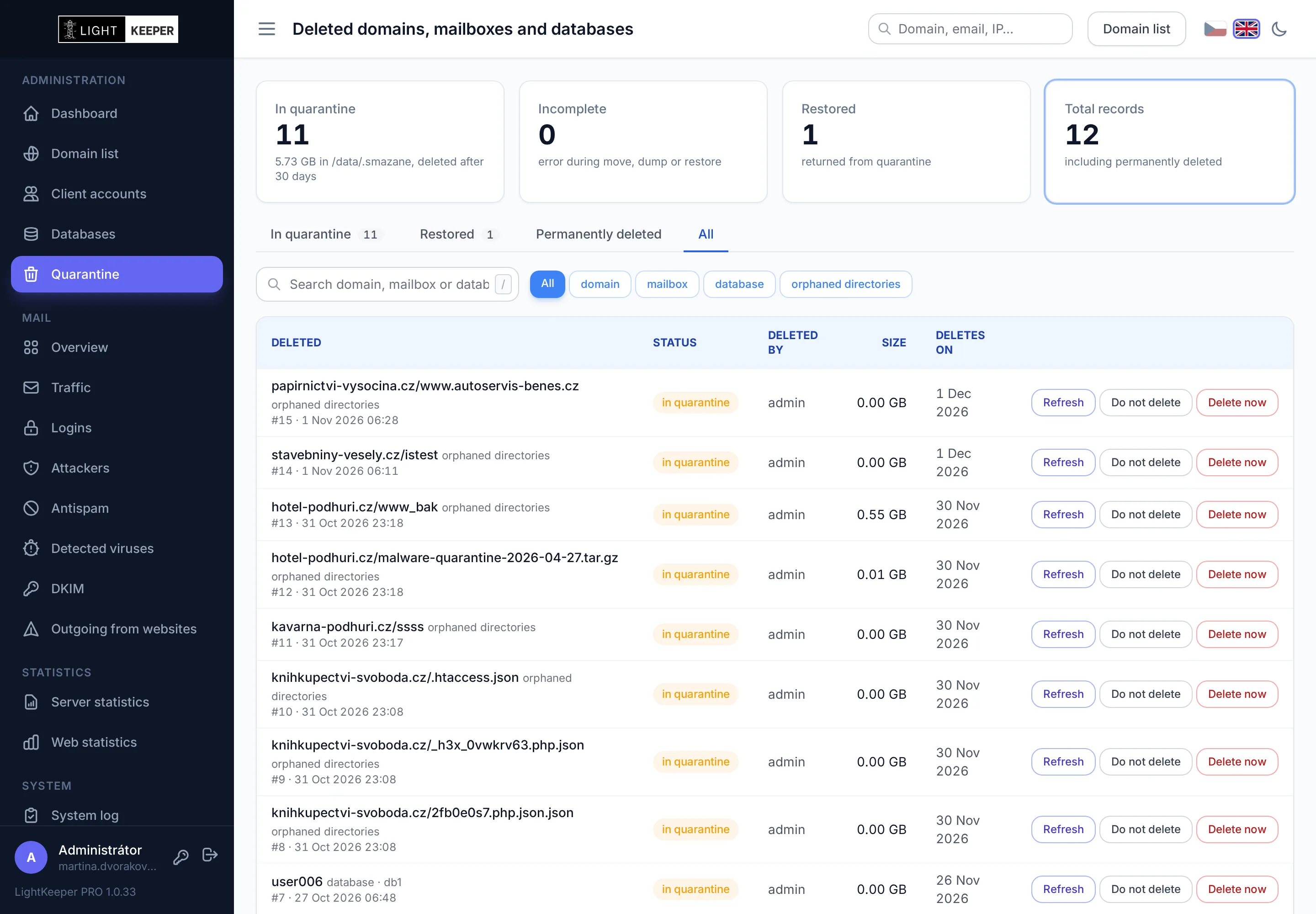
Quarantine instead of irreversible deletion
A deleted domain, along with its websites, mailboxes, databases and certificates, is moved to quarantine for 30 days. One click puts it back where it was, with the same settings and passwords. Deleting a single mailbox, database or orphaned website directory works the same way.
LightKeeper PRO finds orphaned directories on its own: forgotten website copies and old installations that no longer belong to any website. Nobody updates them, which is why they tend to be easy targets for attacks.
A System log with original values
Every change to a domain, website, mailbox, alias, FTP account, database or account is recorded along with who made it, from where, and what the original value was. Whatever the system does on its own is recorded too: moves to quarantine, web server configuration, unblocked IP addresses and updates. The entries are protected by a copy with a checksum chain, so the system detects any silent tampering.
Monitoring its own jobs
The Background jobs page shows every scheduled job: when it last ran, for how long and with what result. A job that failed or never started triggers an email. After every website change, the web server configuration is applied automatically within a minute, and a faulty one is never deployed.
Mail at a glance, in one place
- The mail overview shows today's activity across the whole server: received mail and spam, rejected messages, mail sent via SMTP and password attacks.
- Alerts on compromised mailboxes that start sending mail after a password is stolen, including IP addresses and recipients.
- Antispam per domain: spam to the Junk folder, sender whitelist and blacklist, configurable by customers too.
- Mail queue: messages the server hasn't delivered yet, with the reason for the delay – such as a full recipient mailbox or an unreachable destination server. A message can be retried, held or released; nothing is ever deleted from the queue.
Mail that gets through: DKIM, SPF and DMARC
In the domain detail, one click creates a DKIM key, and the page shows the record you just paste into DNS. Signing starts automatically as soon as the DNS record matches. If the record disappears, signing stops and the technician finds out from the System log. The key can be rotated without interrupting signing, and auto-replies are signed too. Customers can also turn on DKIM themselves in the client portal.
In addition, every night LightKeeper PRO checks all domains with mailboxes: whether SPF authorizes your mail server, whether the domain has DMARC, and which DKIM keys it has in DNS, including keys for services such as Mailchimp, Microsoft 365 or Google. The status is color-coded in the domain list and in the domain detail, so you immediately spot a domain whose mail may end up in spam.
“Everything about…” overviews and the client portal
Editing a website, mailbox or account starts with an overview of everything important, and the IP address profile ties together attacks on websites, mail, FTP and databases. In the portal, customers can now see PHP errors on their websites and the actual status of their certificates. FTP account passwords are stored as SHA-512. The admin interface and the client portal are now easy to use from a phone, too.
Updates from packages
LightKeeper PRO is installed and updated from signed packages with a single command, without downtime. What each version brought is listed right in the admin interface on the What's new page. Details about quarantine, the log and jobs are on the Reliable operation page.