LightKeeper PRO / Reliable operation
Reliable operationNothing gets lost and you know about everything
Mistakes happen in hosting: a technician deletes the wrong domain, a customer overwrites their settings, a nightly job stops running. LightKeeper PRO assumes these things will happen. It keeps deleted data in quarantine for 30 days, records every change along with its original value, and even monitors itself.
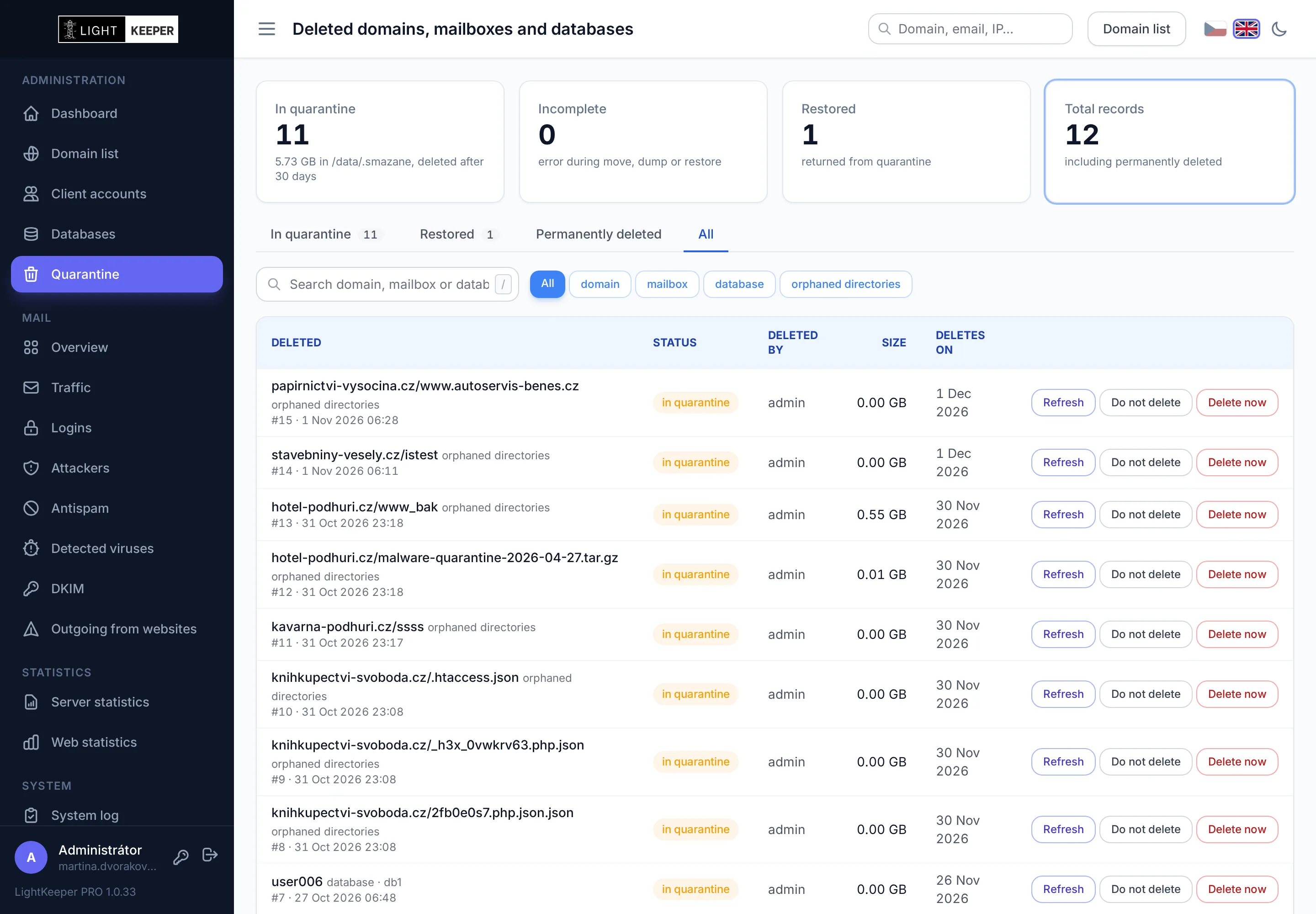
Deleting isn't the end, just 30 days in quarantine
A deleted domain doesn't disappear right away. Its websites, mailboxes and databases move to quarantine, from where one click puts them back exactly where they were. Only after 30 days is the data deleted for good.
- The whole domain at once: websites, mailboxes, aliases, FTP accounts, databases with their users, certificates and redirected domains. Before deletion, a dialog shows everything that will go, and you have to type the domain name to confirm.
- Or one item at a time: a mailbox, a database or an orphaned website directory goes to quarantine just like a whole domain.
- Restore to the original location, with the same settings, passwords and permissions. If a domain or database with the same name has been created in the meantime, the restore stops and overwrites nothing.
- Do not delete: exclude an item you want to hold on to longer from automatic deletion. Conversely, anything that should go right away can be deleted immediately after confirmation.
- A summary email after every move: what was moved, how much space it takes and until when it can be restored.
Every change is traceable, including what was there before
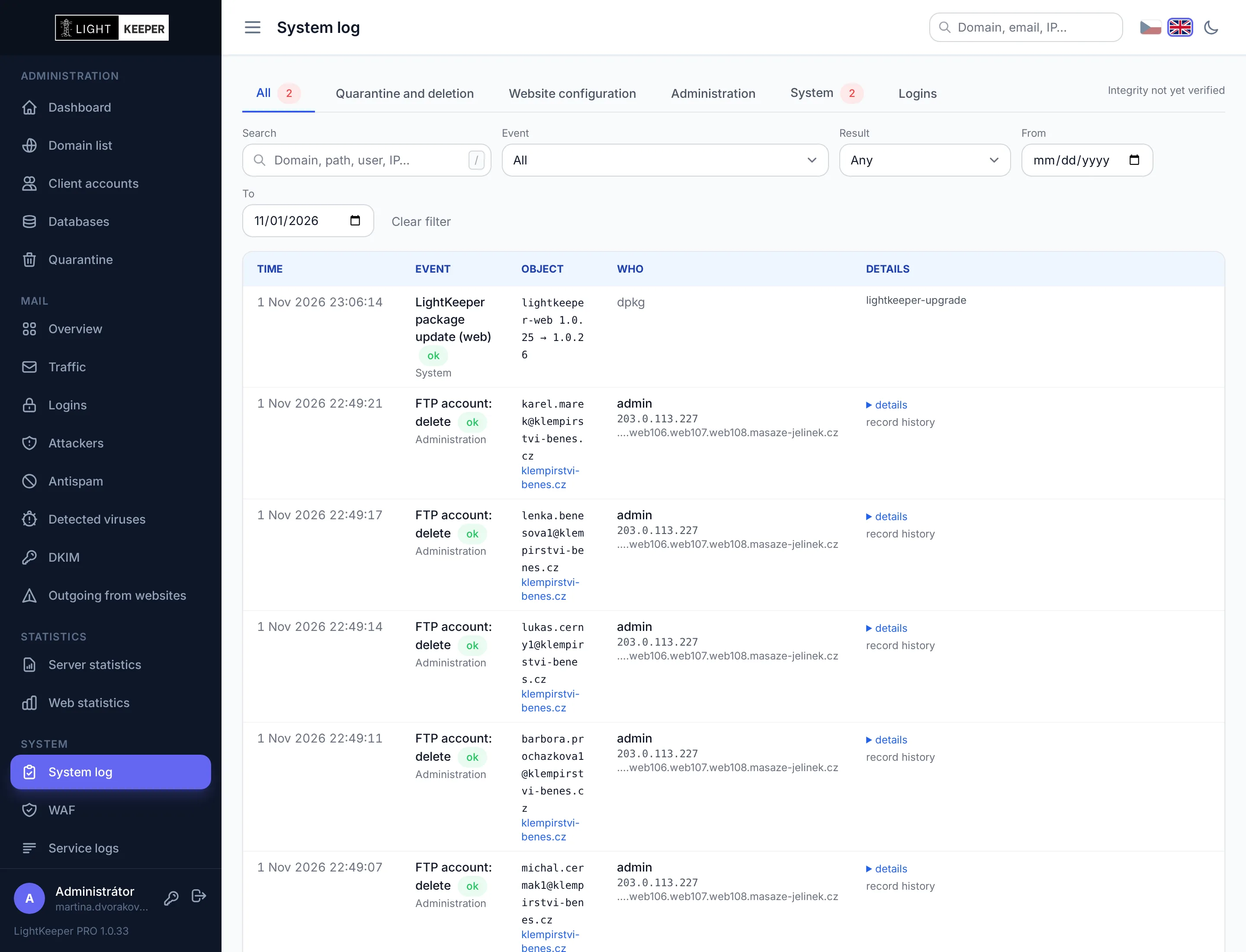
The System log records changes to domains, websites, mailboxes, aliases, FTP accounts, databases and accounts, plus everything the system does on its own. Each entry shows who, from where, and with what result.
- Old and new value: for an edit, you see only what changed, such as “PHP 7.4 → 8.3”. For passwords, only the fact that it changed; the password itself is never logged.
- Administrator, customer, or system: a change made in the client portal is distinguished from a technician's action and from an automated job.
- Request and result: unblocking an IP, issuing a certificate or moving something to quarantine records who requested the operation and how it turned out on the server.
- Record history: the complete history of a domain, website, mailbox or database in one click.
- Problems only: a filter for errors and blocked operations. New errors arrive in a summary email.
Log entries can't be quietly altered
A log that anyone with database access can rewrite proves nothing. That's why LightKeeper PRO keeps its own copy of the entries, out of reach of the web interface.
Checksum chain
Every new entry is written within a minute to a copy the web interface cannot access. Entries are linked by checksums, so changing one breaks the entire chain after it.
Daily check
Every morning, the system compares the entries in the database with the copy. It detects any entry that was modified, deleted or inserted after the fact.
Alerts and status
Any finding is sent by email and recorded in the log as an error. The log page shows when integrity was last verified and with what result.
When a nightly job stops, you won't find out a month later
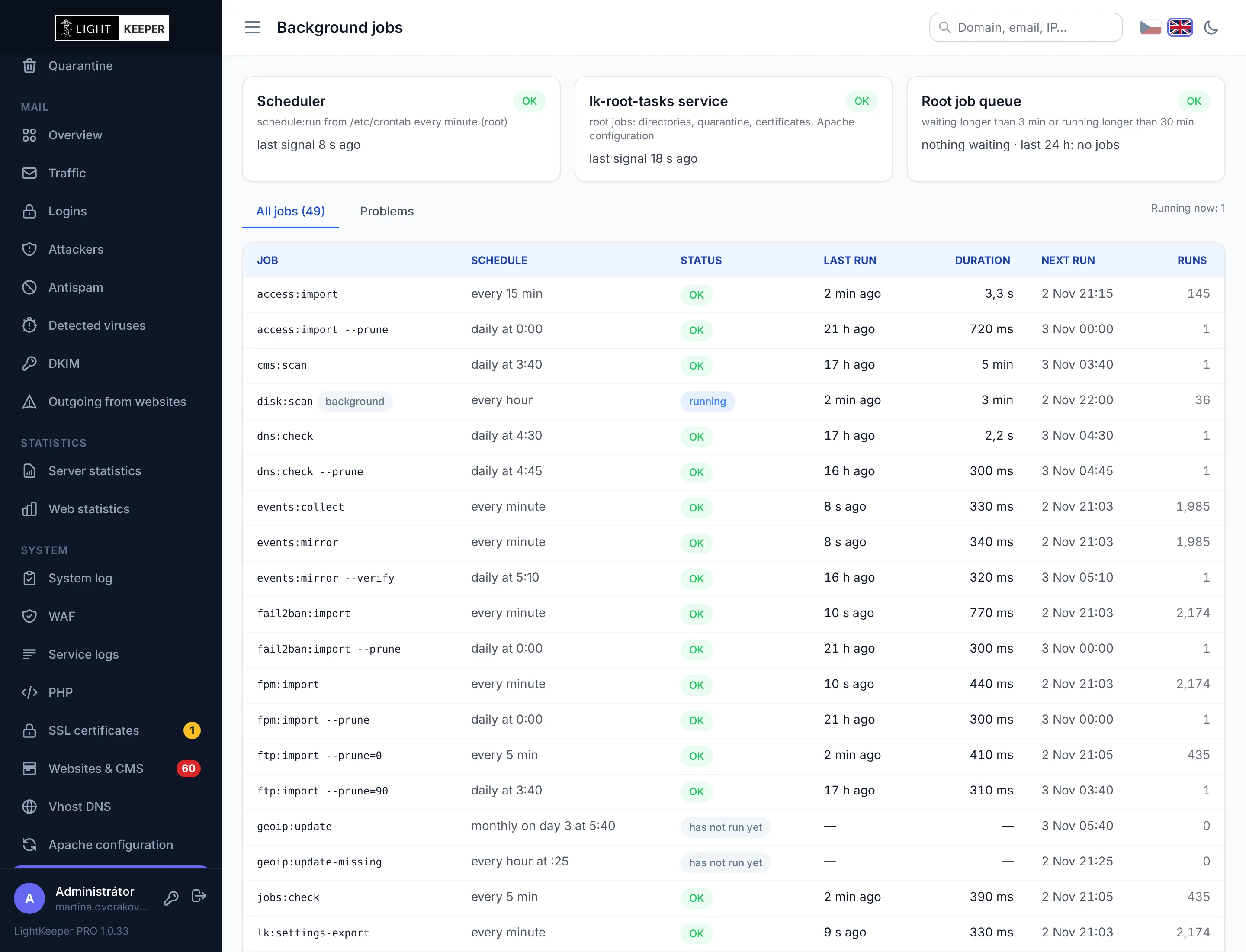
Statistics imports, certificate checks, nightly website scans, disk usage calculations. A hosting platform runs dozens of scheduled jobs, and when one quietly stops, you're missing data nobody misses until it's needed.
- Each job individually: when it last ran, for how long, with what result, when it will run next, and the tail of its output if it failed.
- It even notices what didn't happen: a job that should have started but didn't, and a job that has been running suspiciously long.
- They watch each other: the job scheduler and the service that performs file operations check on one another. If either goes down, the other reports it.
- Email and Dashboard: a new problem, a reminder while it persists, and a notice once it's resolved.
Website changes take effect within a minute, errors never do
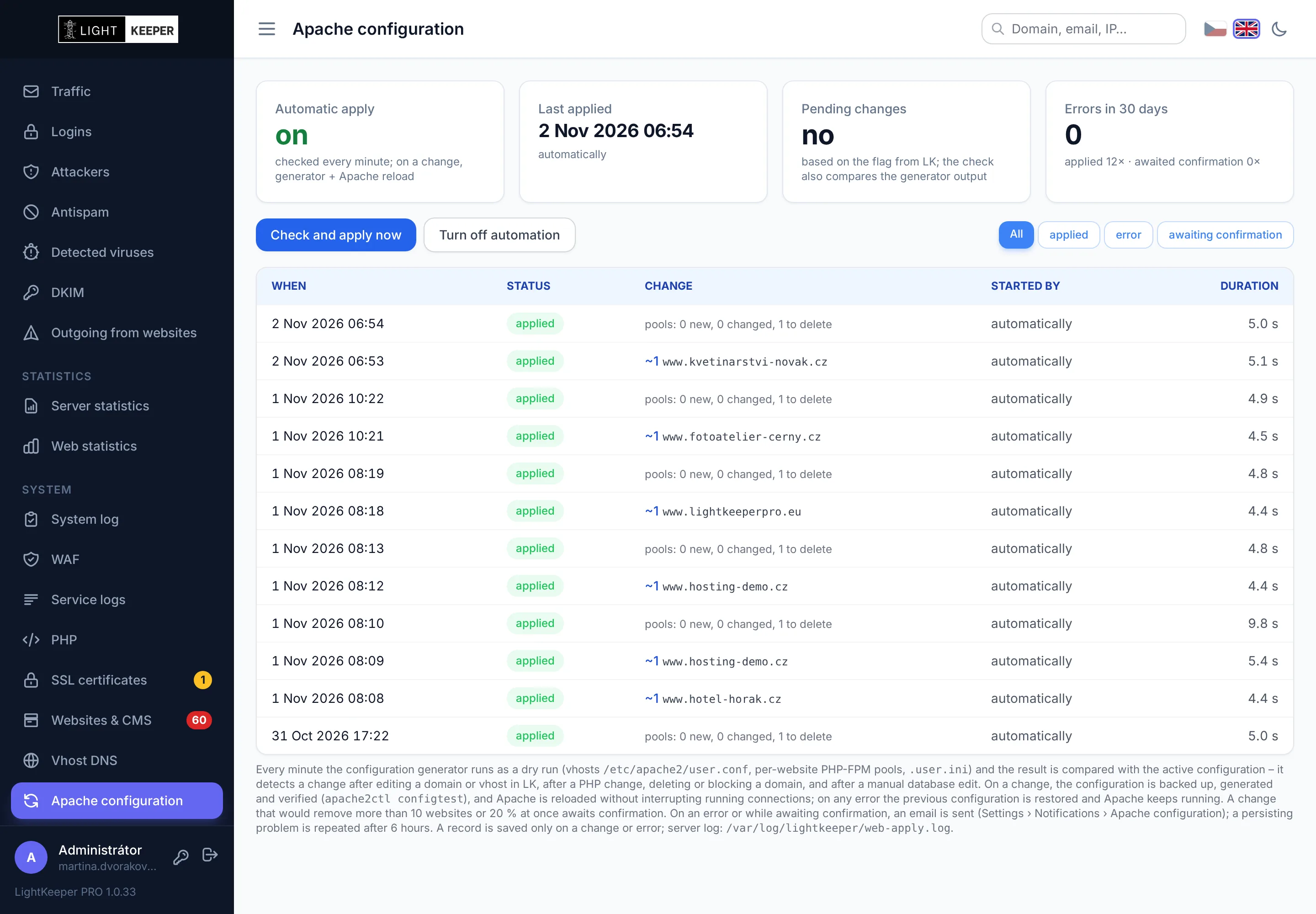
When a technician or customer changes a website, the new configuration is applied automatically within a minute. But before it's applied, it's always generated and tested in a dry run.
- Errors don't get deployed. If the configuration fails the check, the server keeps running on the last working one, and you get an email with a list of the websites affected by the error.
- Safeguard against mass removal: a change that would disable multiple websites at once waits for a technician's confirmation.
- Change history: which websites were added, removed or changed, when, and at whose request.
Updates with one command, no downtime
LightKeeper PRO is installed and updated from signed Debian packages, just like the server's operating system. A new version is deployed during normal operation; websites and mail keep running.
Signed packages
The server installs only what is signed with our key. Updating LightKeeper PRO works just like updating the rest of the server's software.
What's new, right in the admin
After an update, you'll see what the new version brings right in the admin interface. The version number is in the menu, so you always know what's running on the server.
Recorded in the System log
Every update is recorded along with the old and new version and the result, just like mail server configuration changes.