LightKeeper PRO / Compromise detection
Compromised website detectionFinds a compromised website before your customer notices
A web shell in a forgotten copy of a website, a modified WordPress core or an outdated plugin with a known vulnerability. Every night, all websites on the server are scanned, and in the morning you know where the problem is.
Three complementary checks
Website code is never executed during the scan. Versions, extensions and malware are identified only by reading files and comparing them with the originals, so a compromised website can neither fool the scan nor exploit it.
Installation inventory
Finds every WordPress and Joomla installation, including forgotten backups and copies outside the main website that nobody updates and that attackers love to look for.
Integrity
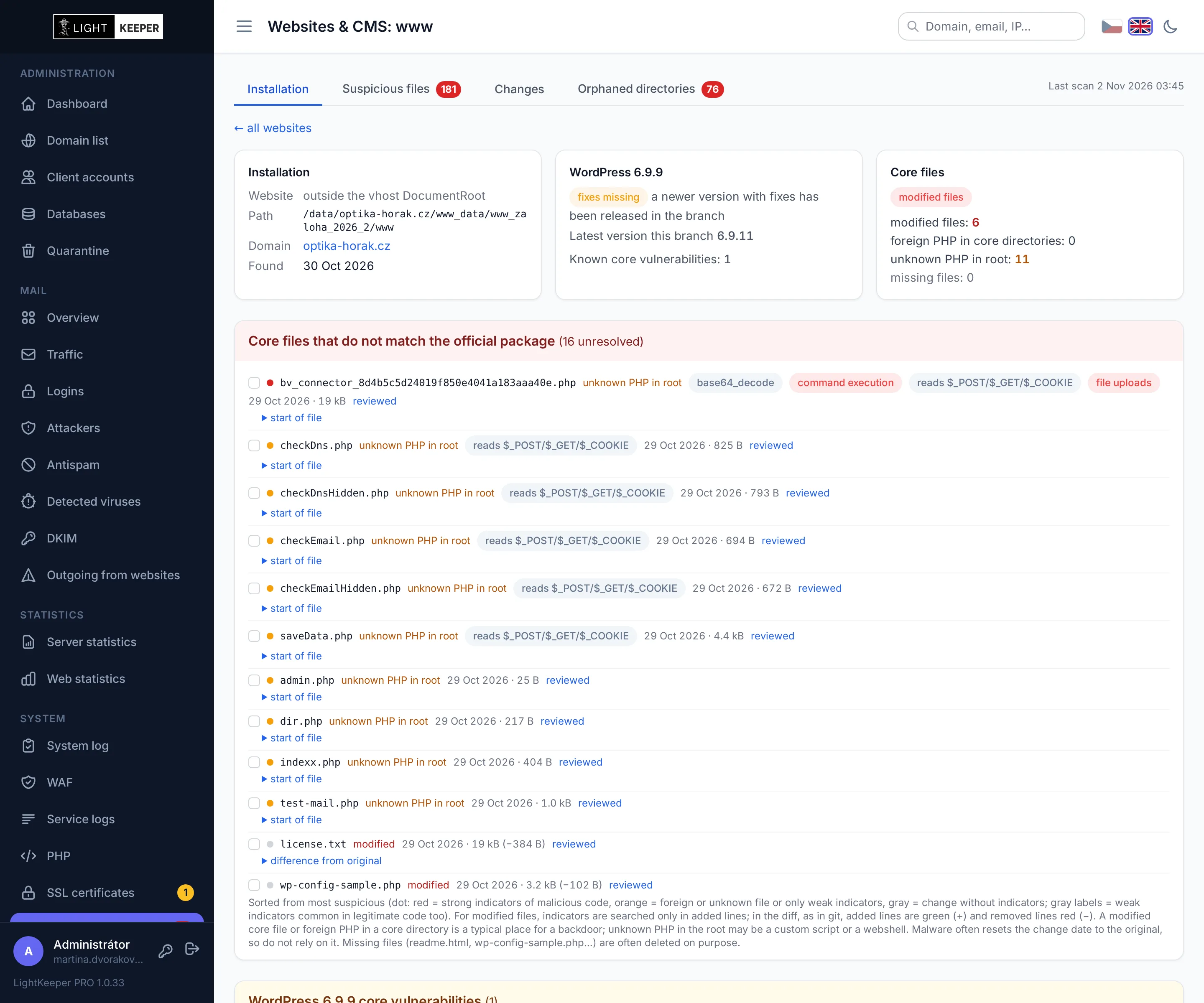
Compares core and plugin files against official checksums. Detects modified files, foreign PHP in core directories and unknown scripts in the website root.
Heuristics
Every PHP file on the server, including websites without a CMS, is checked against rules that look for typical signs of web shells and backdoors.
Know exactly what the attacker changed
WordPress is checked against checksums from wordpress.org, and so are plugins from the official directory. Joomla is checked against the official installation package of the given version.
- Diff against the original right in the overview: you see the added lines, not just that the file differs.
- Indicators in the added code, such as obfuscated JavaScript or command execution, with priority by severity.
- Missing files are reported separately, because they are often deleted on purpose.
Finds web shells even where there's no WordPress
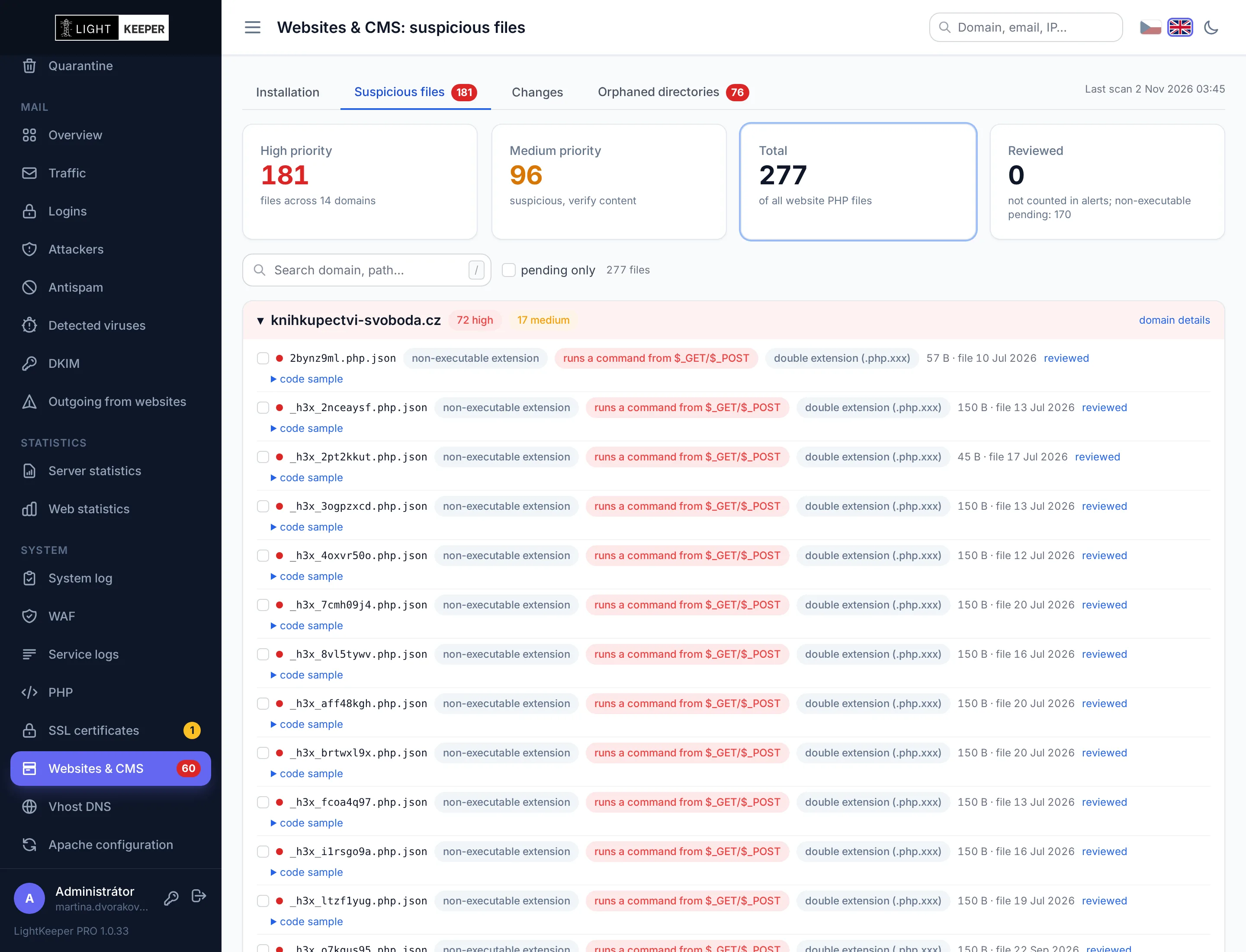
The rules look for combinations of traits that almost never appear in legitimate code: eval on decoded data, command execution from request parameters, hidden file uploads or obfuscated JavaScript.
- No alerts over trivia. Location, file extension or a single weak indicator alone is never enough for a finding.
- A snippet of the suspicious code with every finding, so you can decide without downloading the file.
- Non-executable extensions. The server won't run a shell saved as
.json, but it is clear evidence of a compromise. - Fast nightly runs. Only new and changed files are checked; the whole server once a week.
Websites that need updating, before someone exploits them
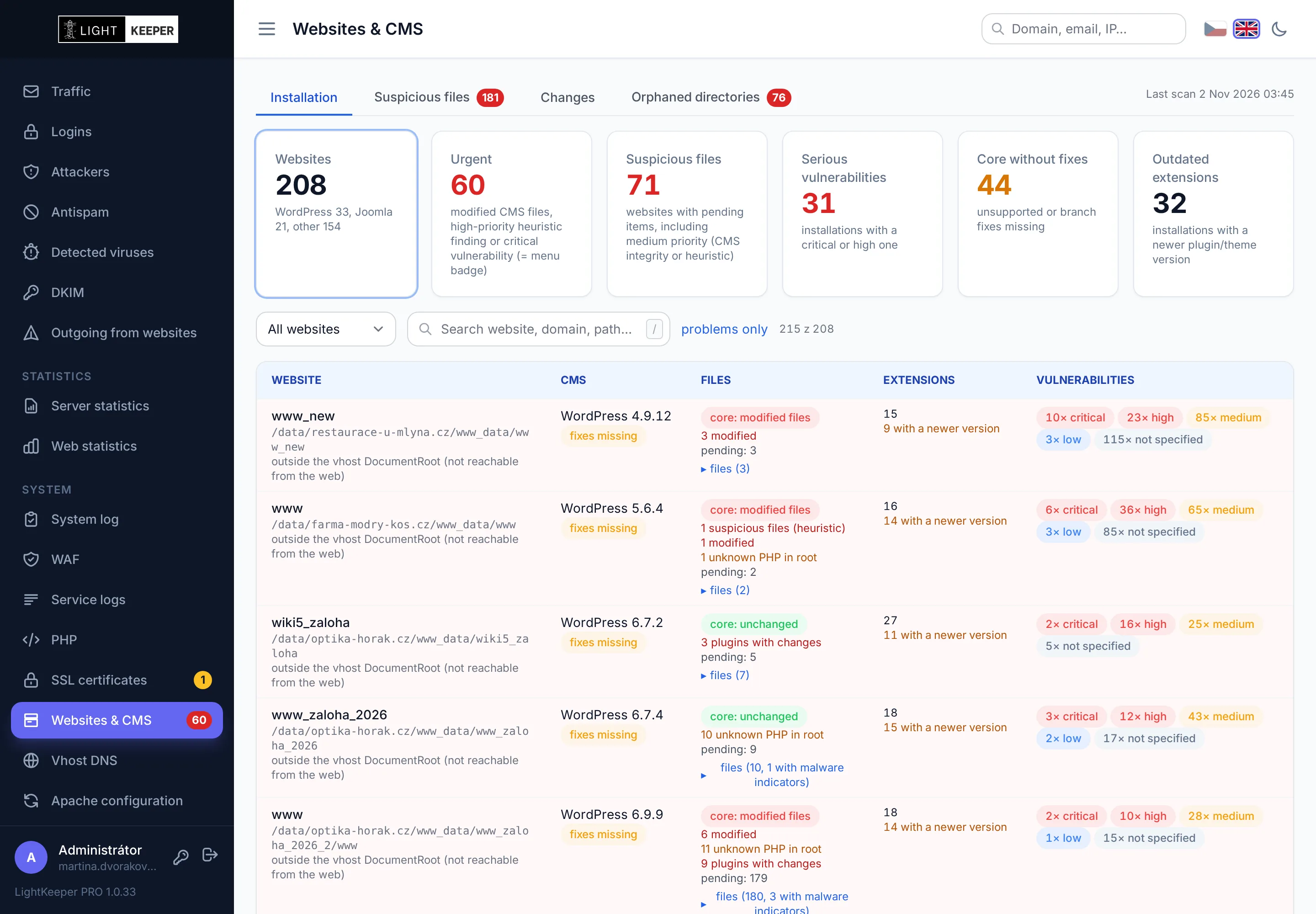
For every installation you see the version of the core, plugins and themes, along with known vulnerabilities based on the versions actually installed.
- Vulnerability database for WordPress and Joomla core, plugins and themes, by severity.
- Version support: detects an unsupported core, a branch missing the latest fixes and outdated extensions.
- “Problems only” filter for a quick overview of what to fix today.
An alert disappears only once the problem is really fixed
- Change tracking by ctime. Malware routinely resets a file's modification time (mtime) to its original value, but the inode change time can't be altered without server admin privileges. History is kept for 90 days.
- Reviewed button for a single file or in bulk, with a note. The confirmation applies only to the specific content: if the file changes again, it returns to the alerts.
- On the dashboard, in the menu and on the domain. You see the number of open findings everywhere you work with the website.
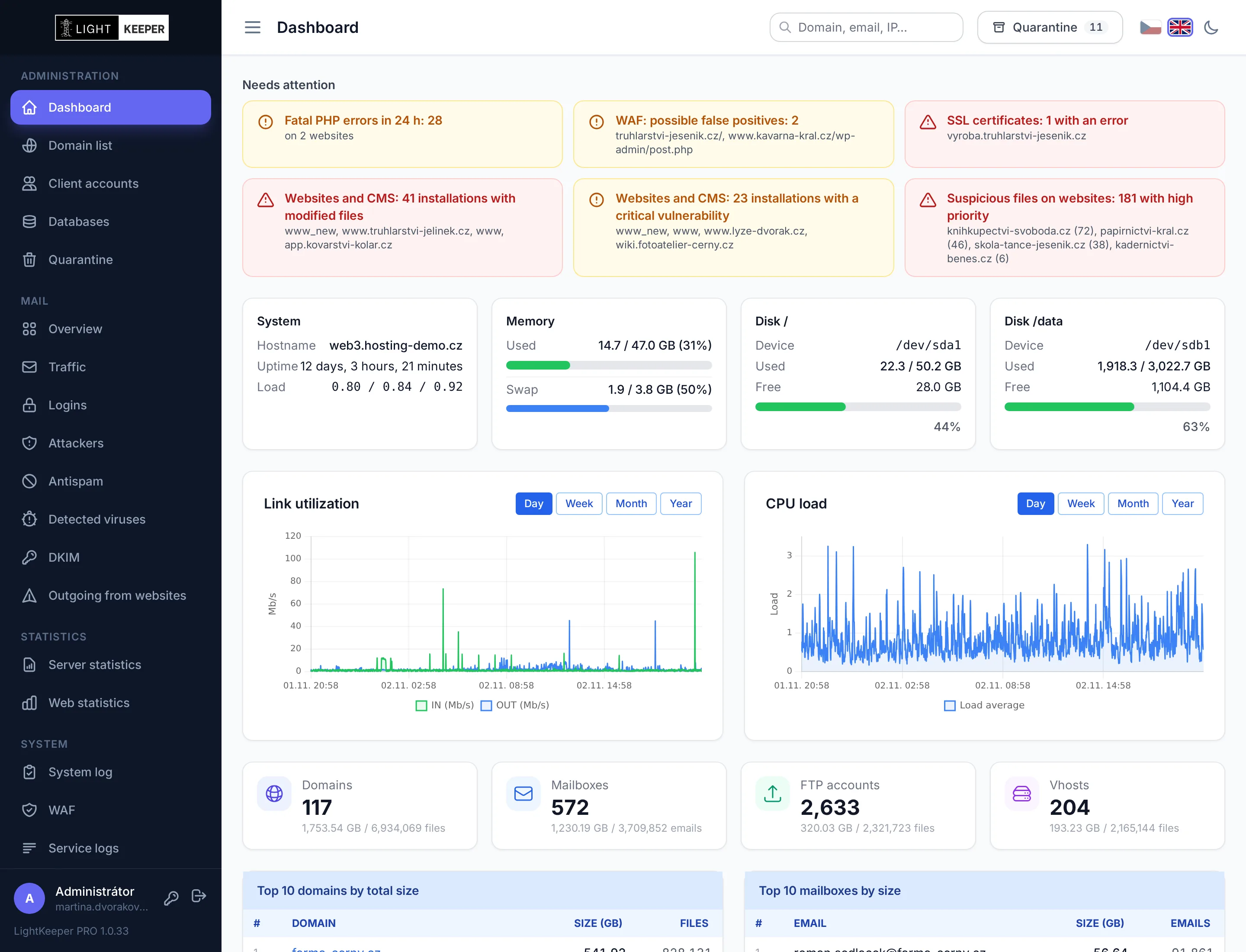
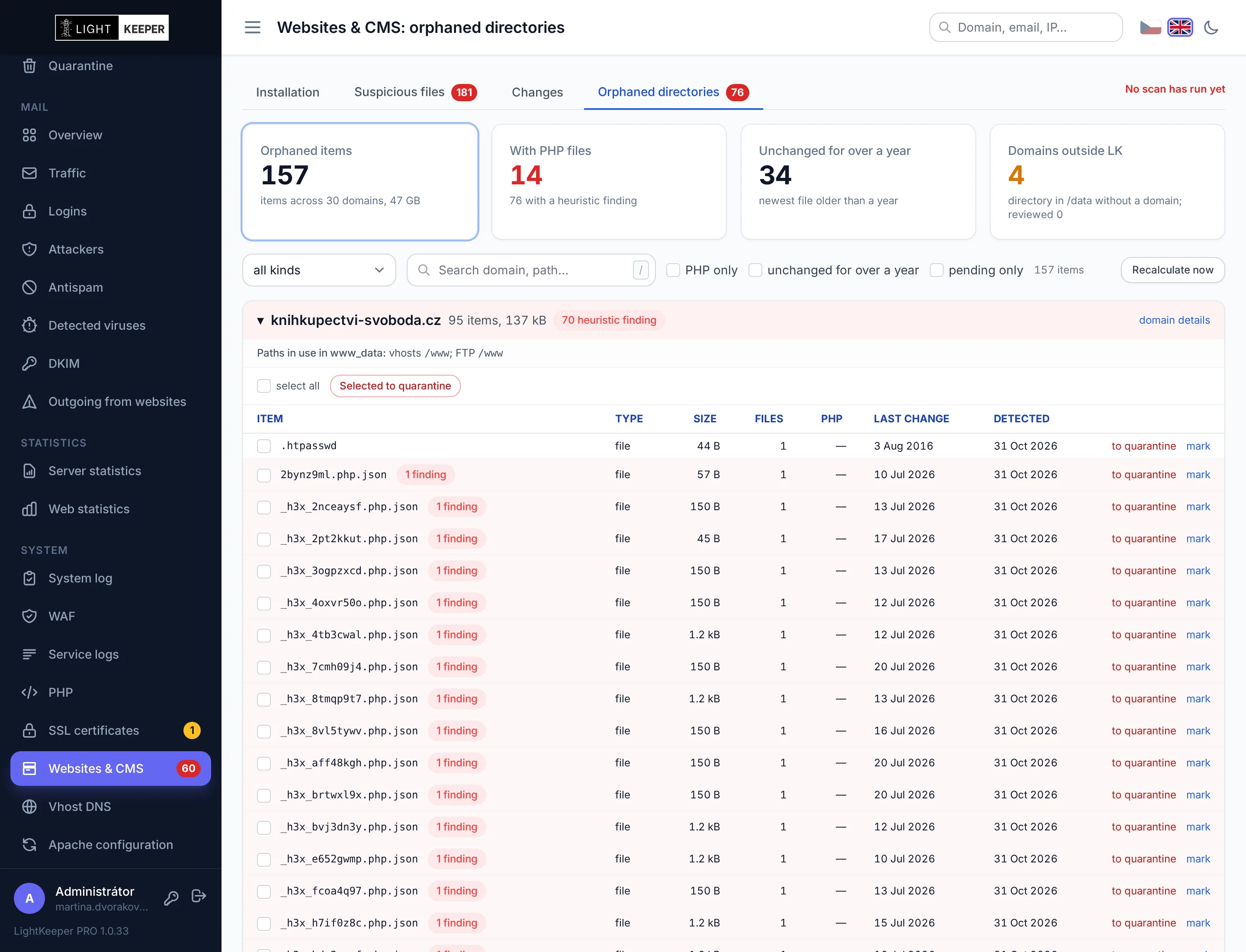
Old website copies everyone forgot about
A website backup from last year, a test installation or a directory left behind by a canceled website. Nobody updates them, yet they are often still reachable from the internet, and attackers look for them. LightKeeper PRO finds them every night.
- Directories without a website or FTP account in every domain, with size, number of PHP files and date of last change.
- Heuristic findings right next to the directory: an orphaned directory with a web shell takes priority.
- One-click quarantine. Before moving it, the system checks again that no website or FTP account has started using the directory in the meantime. You can restore it to its original location within 30 days.
- Reviewed: check off a directory that should stay. If anything in it changes, it returns to the alerts.