LightKeeper PRO / Website protection
Website protectionNo attack on a customer's website goes unnoticed
Every website on the server sits behind a web application firewall and runs in its own isolated process, and repeat attackers get blocked by the server firewall. Meanwhile, you see who is attacking, which website, and how.
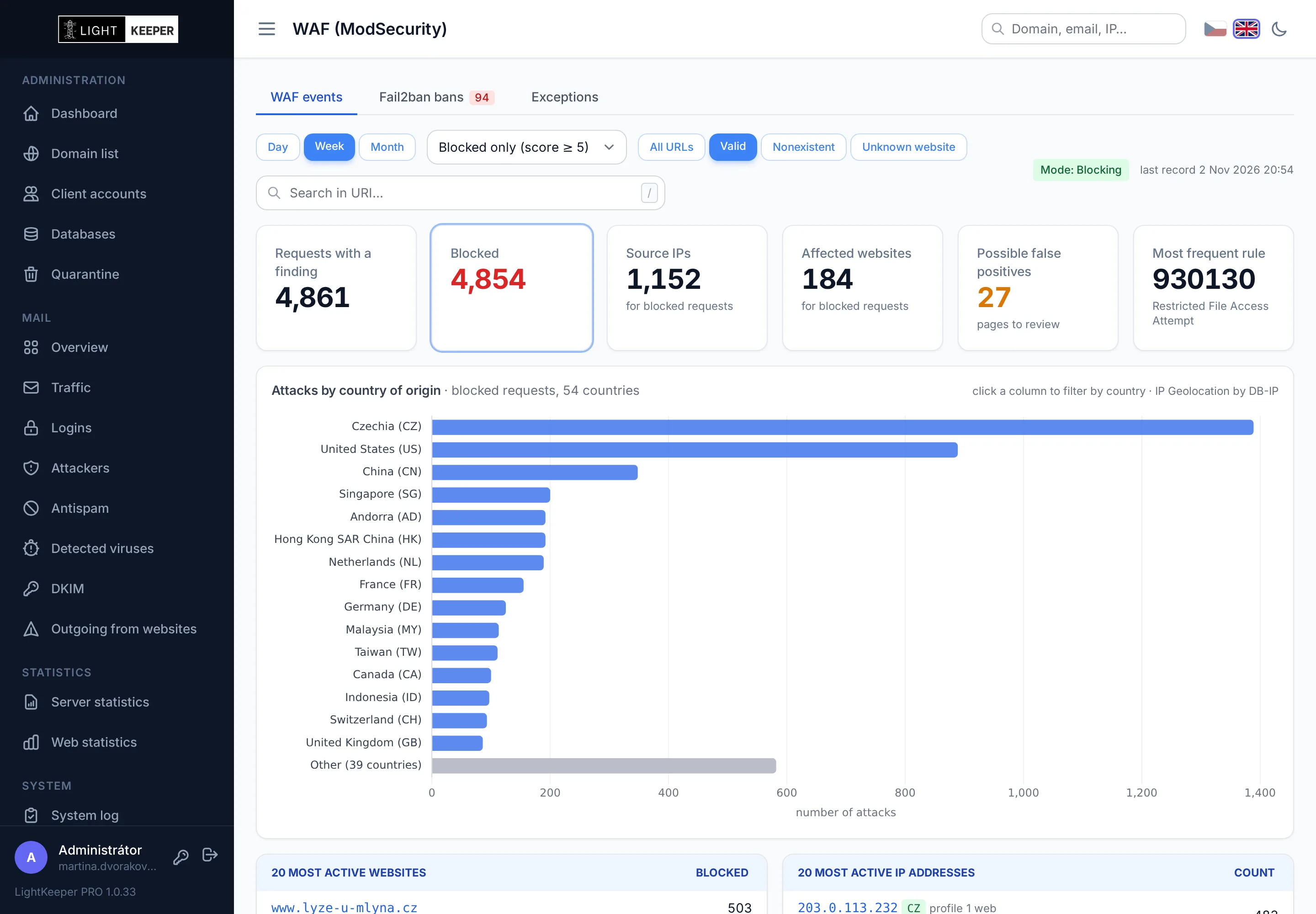
ModSecurity with OWASP rules for every website
The web application firewall inspects every request before it reaches PHP. It uses the OWASP Core Rule Set, the most widely used rule set against web application attacks.
- Score-based blocking. Each rule adds points, and requests above the threshold are stopped. A single suspicious character won't block a legitimate visit.
- Gradual rollout. A website that conflicts with the rules can stay in detection-only mode until you fine-tune it. All other websites keep blocking in the meantime.
- Self-updating. A new rule version is loaded automatically once the configuration has been verified.
- Passwords are never logged. Attack records don't store the request body, so passwords from login forms never end up in them.
Fix false positives in the admin panel, not in config files
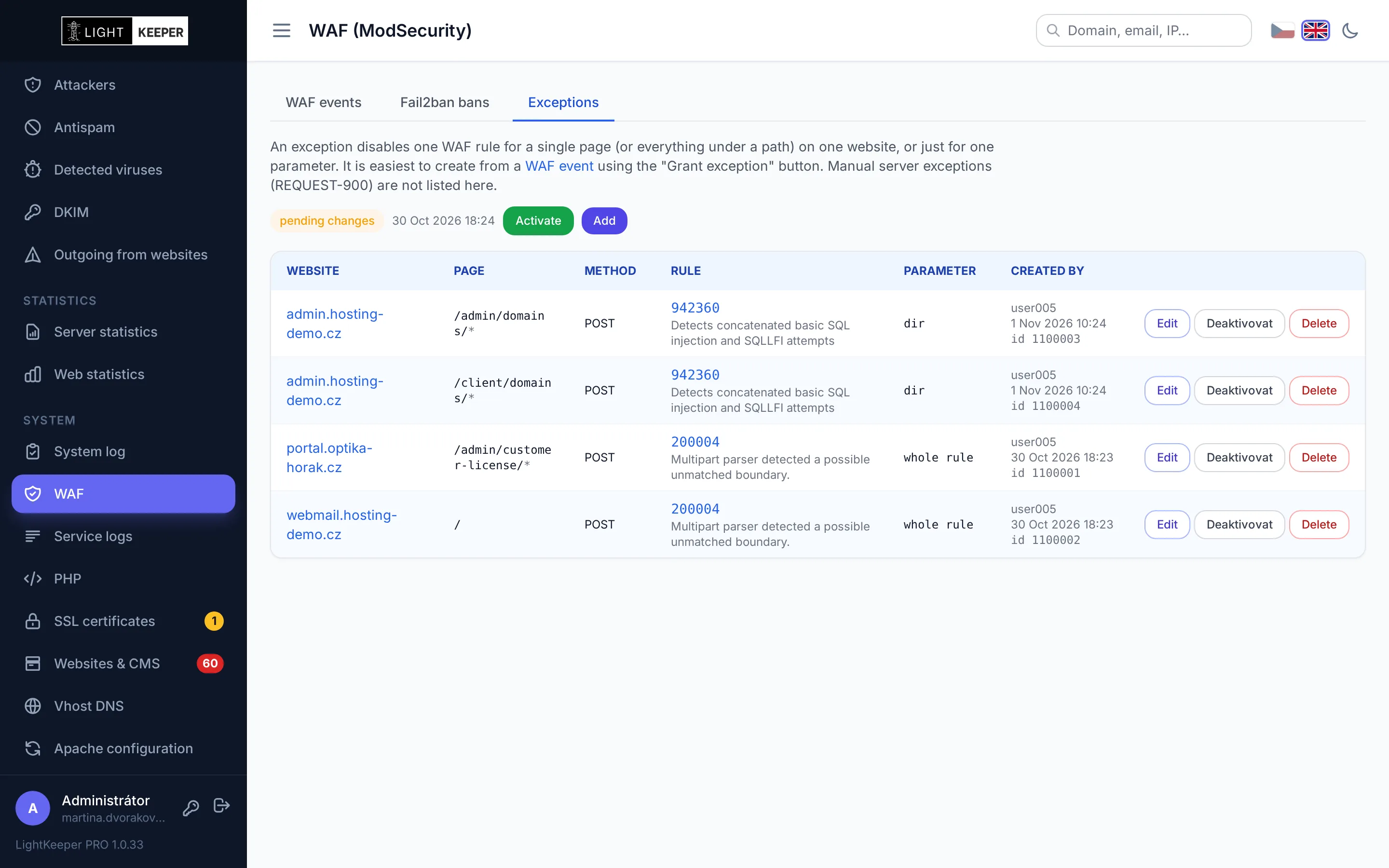
Occasionally a rule blocks a legitimate request, such as saving an article that contains a code snippet. Instead of turning off the firewall for the whole website, you allow only what is really needed.
- Straight from the blocked request: the form is prefilled with the website, page and rule. A preview shows which earlier requests the exception would have let through.
- The narrowest possible exception: one rule, one page or path, optionally just one method and a single form field. All other rules keep protecting that page.
- Rule hints: how many times the rule fired in the last 30 days, on which website and in which form field. One click fills in the field.
- Safe deployment: the configuration is verified before it is loaded; if there is an error, the previous one stays in effect.
Everything about one IP address on a single page
An attacker probing websites often tries mailbox and FTP passwords too. The IP address profile brings together everything the system knows about the address from all services.
- Website attacks caught by the WAF and fail2ban bans.
- Mail and FTP: login attempts, sent and rejected mail, FTP logins.
- Databases and system log: MySQL connections and admin panel actions from this address.
- Reverse DNS and country for every address, with one-click unblocking.

From the big picture to a single request in a few clicks
By website
Which websites are targeted most often and how many attacks the firewall stopped. Click through to see all events for a single website.
By IP address and country
The most active attackers with their country of origin from the DB-IP database. The country chart shows where attacks come from; click a country to filter by it.
By rule
Which rules fire most often: SQL injection, XSS, access to system files and more. Every event shows why it was blocked.
Repeat attackers end up on the firewall
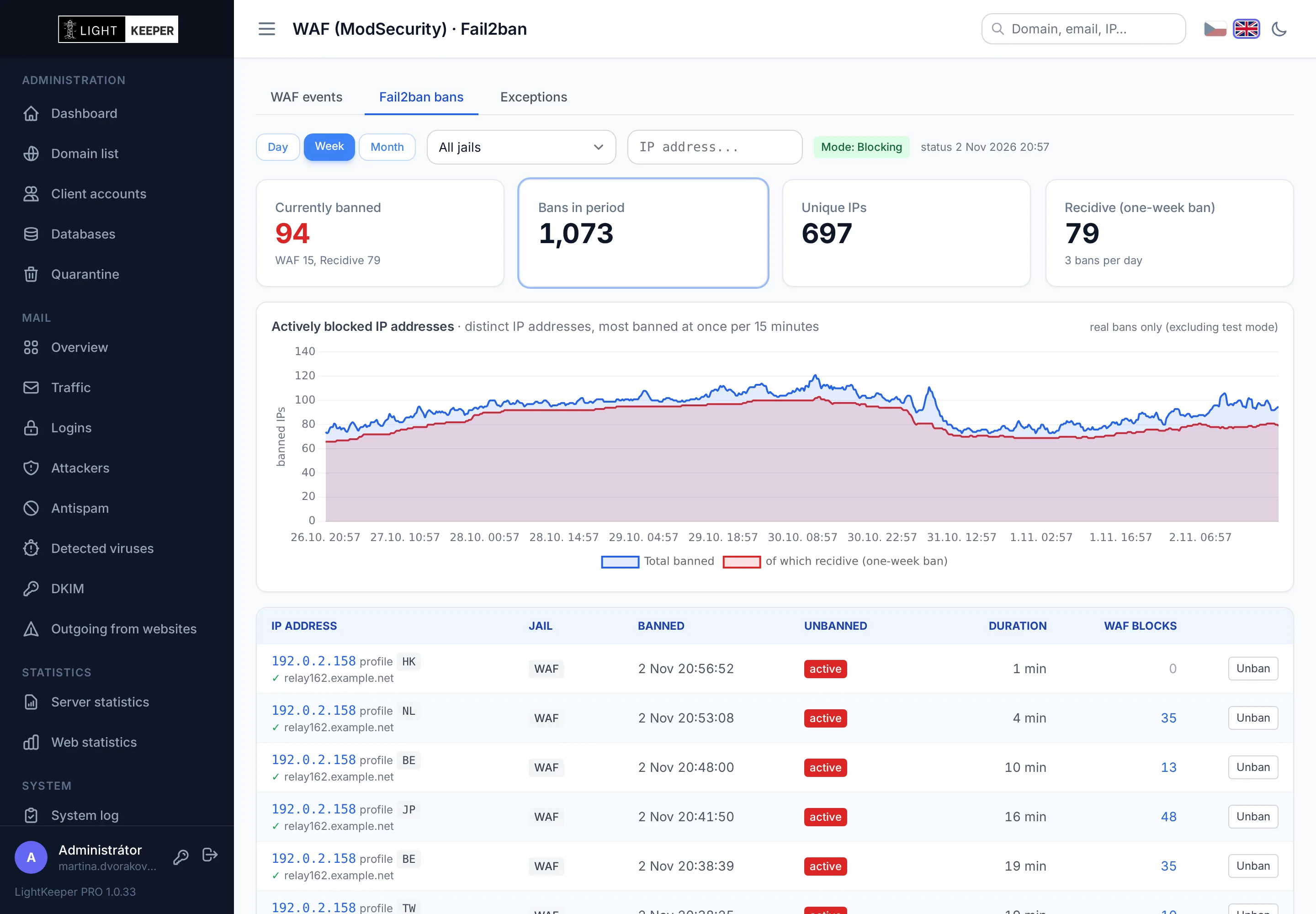
Fail2ban works hand in hand with the WAF. An IP address the firewall blocks repeatedly gets banned at the server level, and its further requests never even reach the web server.
- 10 blocks in 10 minutes means a one-hour ban. Anyone who keeps coming back gets a one-week ban as a repeat offender.
- Exceptions: you can exempt selected countries and addresses from bans so your own customers don't get blocked.
- One-click unban. The web interface has no firewall privileges; the server processes the request within a minute.
- Active bans chart shows how many addresses are currently blocked and how many of them are repeat offenders.
A compromised website can't spread to its neighbors
Shared hosting runs dozens or even hundreds of websites side by side. LightKeeper PRO keeps them separated so an attacker can't get from one website to the others.
Dedicated PHP pool
Every PHP website runs in its own PHP-FPM process with access only to its own directory and its own memory and process limits. A busy website won't overwhelm the others.
Locked shared pools
Shared pools are available to administrators only. Customers can't use .htaccess to switch a website to another pool or .user.ini to widen their file access.
No PHP in uploads
The server won't execute PHP in folders for images, uploaded files, temporary files and cache. An uploaded web shell simply doesn't work.
PHP from 5.6 to 8.5
Each website has its own PHP version. The form warns you what might break when you change versions, and old websites can run in a compatibility mode.
Disabling mail()
For a website that sends spam, you can turn off sending mail from PHP with a single switch. Other websites are not affected.
Safe configuration
The configuration generator validates every value before writing it. A faulty configuration is never deployed, and the server keeps running on the last working one.
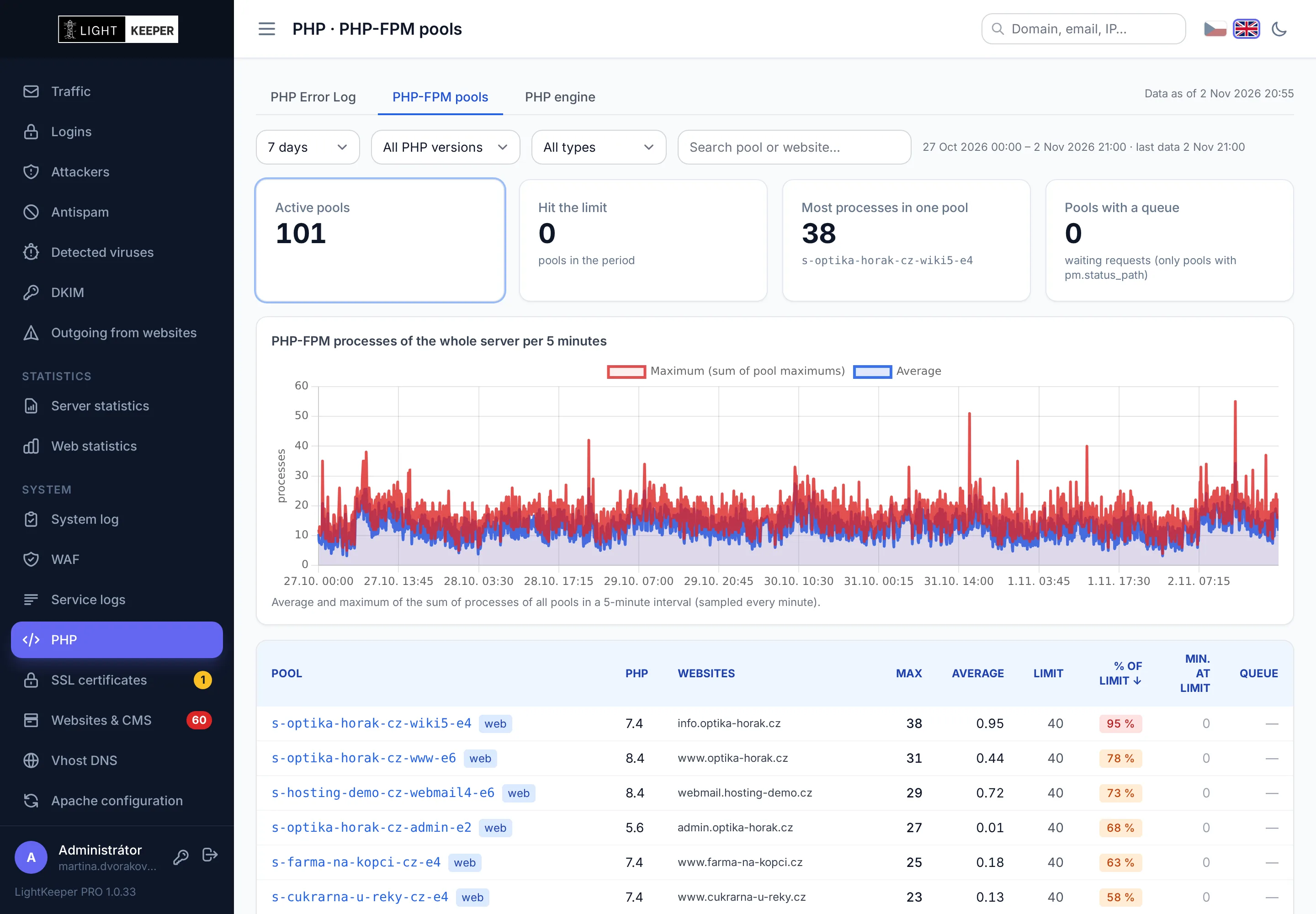
Find out which website is slowing the server down
The load of every PHP pool is recorded every minute. You see the average, the peak, how many minutes the pool spent at its process limit and whether requests had to wait for it.
- Server-wide chart in five-minute steps and a list of pools sorted by load.
- Email alerts when a website exhausts its allowed number of processes.
- Pool details with an hourly timeline and a list of the websites running in it.
An admin panel that isn't a risk in itself
No server admin privileges
The web interface runs under its own unprivileged user. File and service operations are carried out by the server itself, which always derives the path from the database, never from the web request.
Passkeys
Sign in with a fingerprint, face recognition or a security key (passkeys, WebAuthn). A passkey can't be phished on a fraudulent page.
System log
Every login and every change is recorded along with who made it, from where and what the original value was. The records are protected by copies with checksums.
No readable passwords anywhere
New and changed passwords for mailboxes and FTP accounts are stored as SHA-512 and are never written to logs. When a password changes, the system records only the fact that it changed.
Customers don't see what they shouldn't
Technicians' internal notes and change history stay in the admin panel. The client portal shows only the domains and services you allow the customer to see.