LightKeeper PRO

LightKeeper PRO / Product tour

Product tour

What LightKeeper PRO really looks like

The screenshots come from a real hosting operation with about a hundred domains and five hundred mailboxes. Domains, names, email addresses and IP addresses have been replaced with fictitious ones; the numbers are real. Click a screenshot to enlarge it.

Dashboard

What needs attention, at a glance

The home screen shows only alerts that require action: compromised websites, critical vulnerabilities, PHP errors, full disks, stopped data collection or a job that didn't run. Below them: server status, network and CPU load, and the largest domains and mailboxes. The menu is divided into Administration, Mail, Statistics and System.
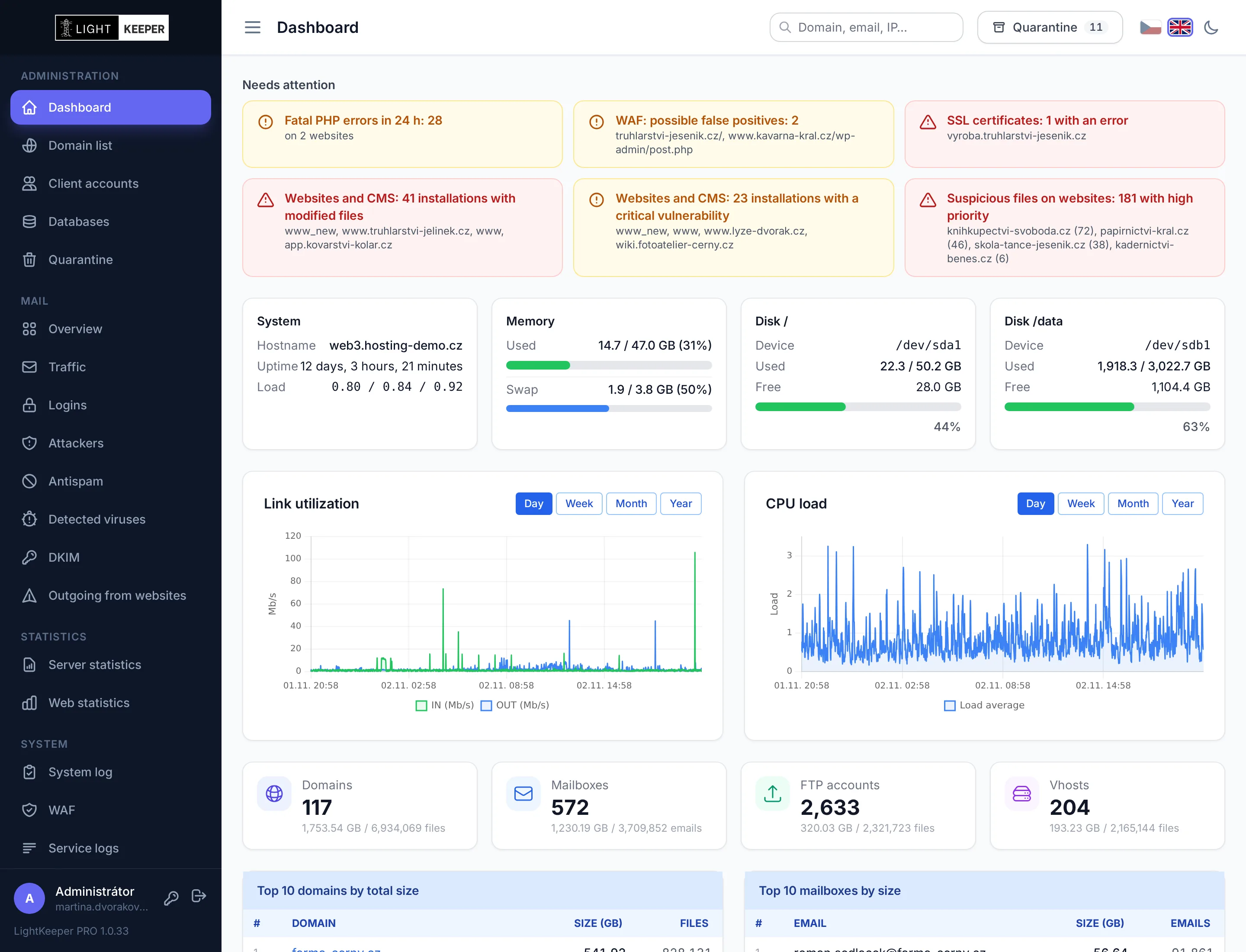
Dashboard: alerts, server status, network load and CPU load
Domain management

Everything about a domain in one place

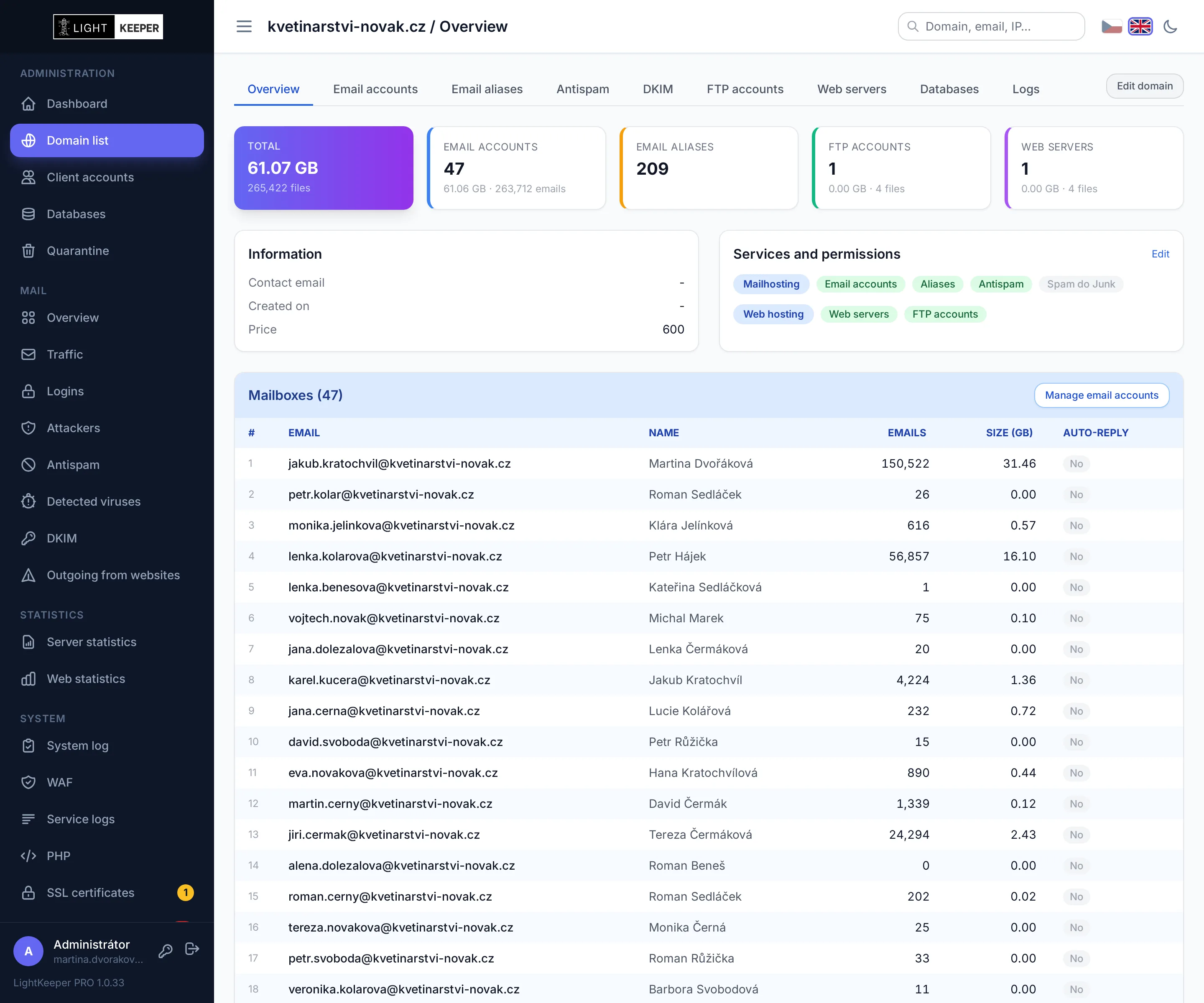
Mailboxes, aliases, antispam, FTP accounts, websites, databases and logs. The domain overview shows disk usage, the services enabled for the customer, cards with the security status of its websites and mailboxes, and the history of recent changes.

Domain overview: disk usage, services and permissions, list of email mailboxes
Website overview

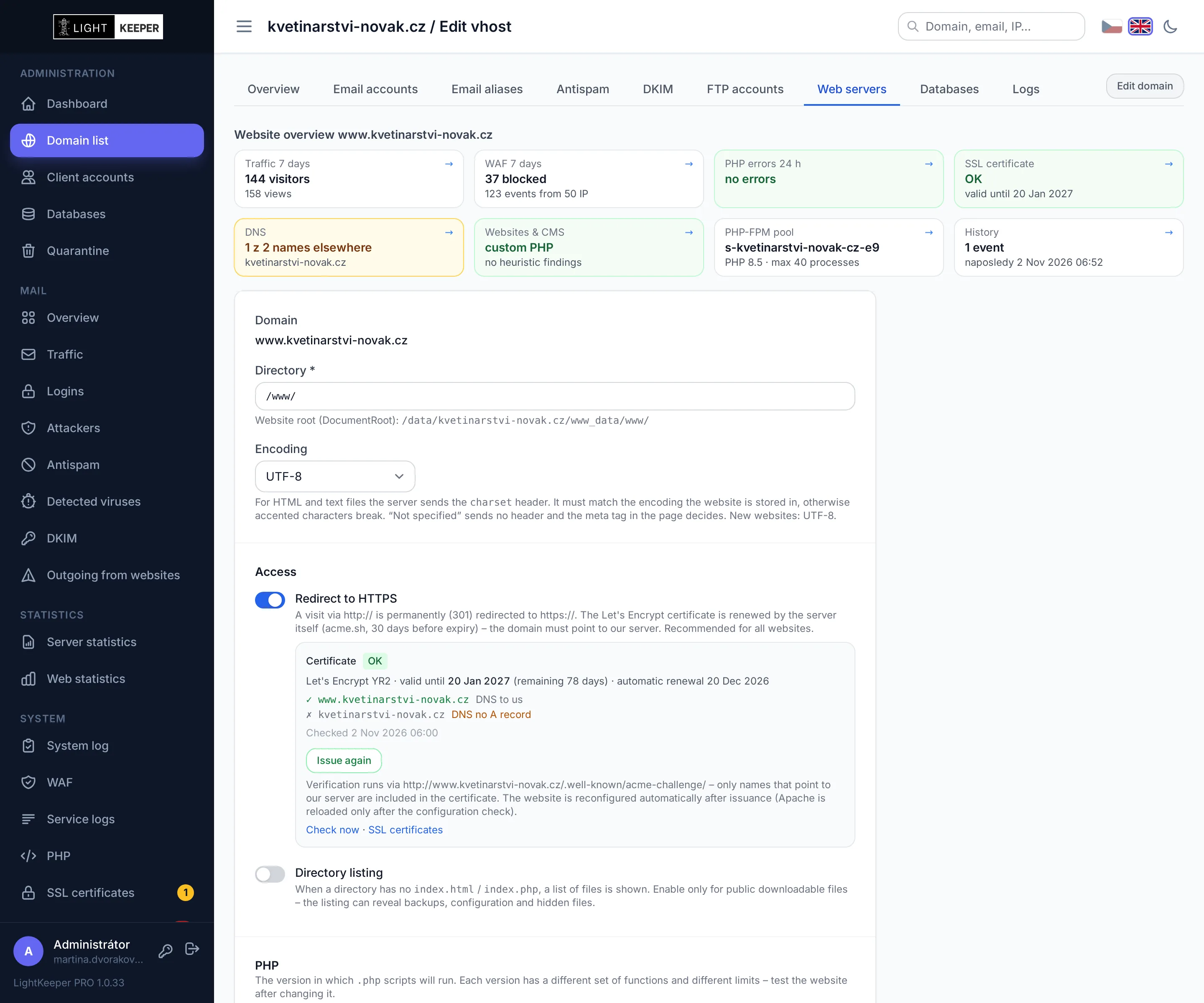
Everything about a website before you change anything

Editing a website starts with an overview: traffic and attacks over the past week, PHP errors, certificate and DNS status, any WordPress or Joomla installation found with suspicious files, PHP pool load, and change history. Mailbox, IP address and customer account overviews work the same way.

Website editing with overview: traffic, WAF, PHP errors, certificate, DNS, CMS and PHP pool
Client portal

Customers manage their own services

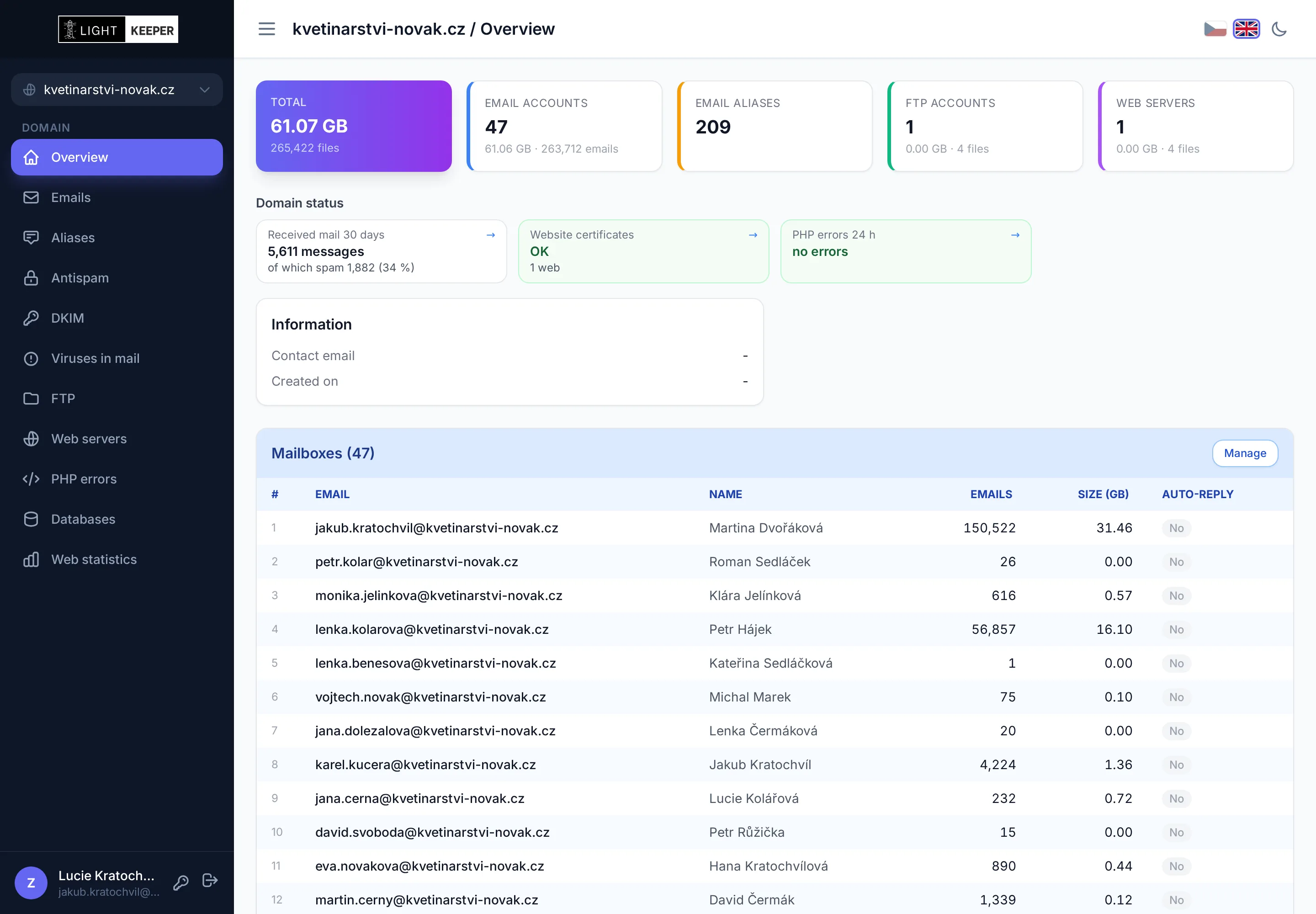
Your customer sees only their own domains and only what you allow: mailboxes, aliases, antispam, FTP, websites, databases and traffic statistics. The domain overview shows them the status of mail, certificates and PHP errors. They can sign in with a password or a passkey.

Client portal: customer's domain overview with mail, certificate and PHP error status
Client portal

Customers can see PHP errors too

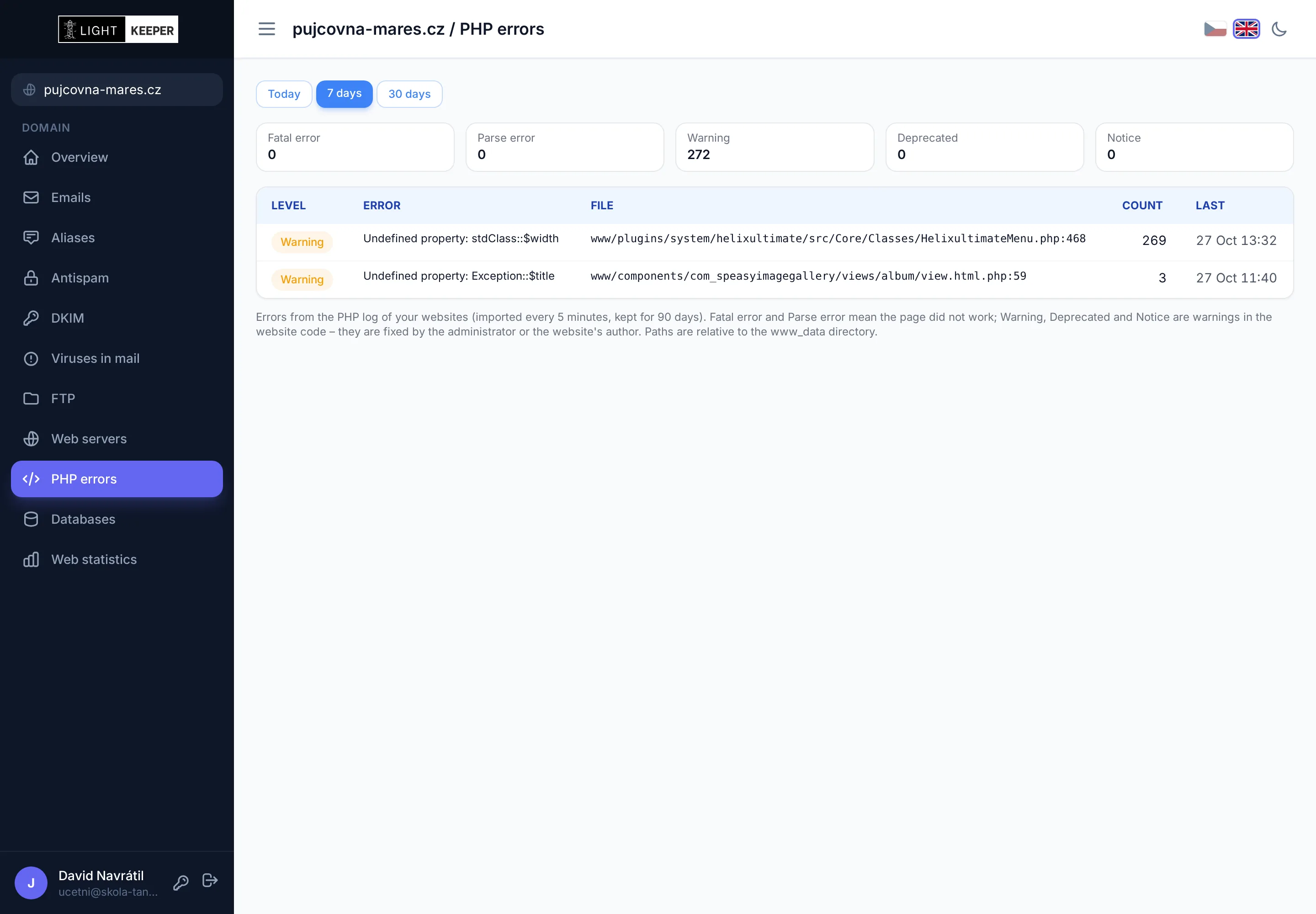
Customers or their developers can look up PHP errors on their websites by period, website and severity, grouped by location in the code. No need to contact your support.

Client portal: PHP errors on the customer's websites grouped by message and file
DNS monitoring

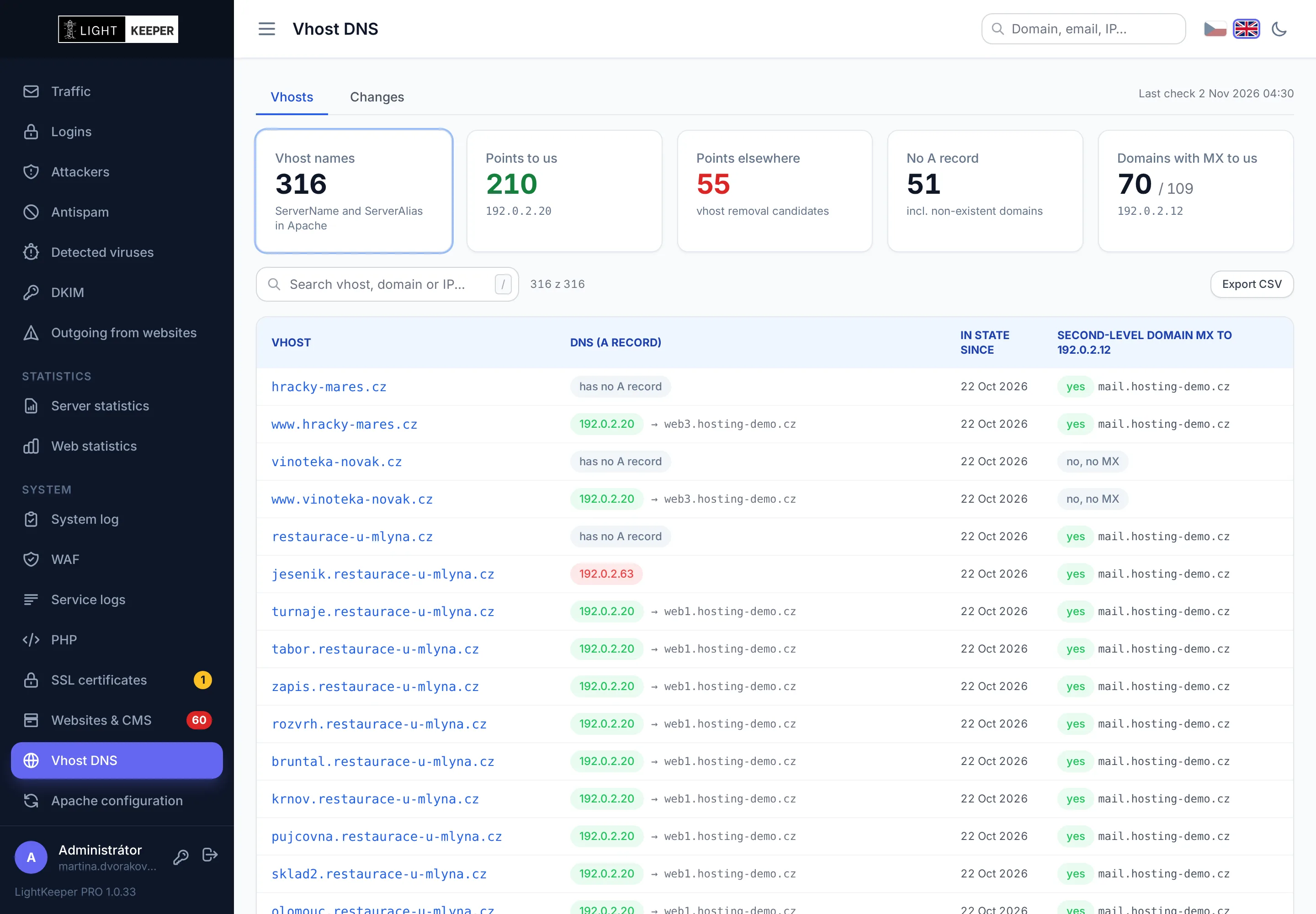
Where websites and mail really point

Every day it checks the A and MX records of all names in the web server configuration. You see websites that have moved elsewhere, whose configuration can be cleaned up, as well as names with no record. When a customer leaves or comes back, you get an email.

DNS monitoring: website names, where A records and domain MX records point
Web statistics

Traffic without tracking code

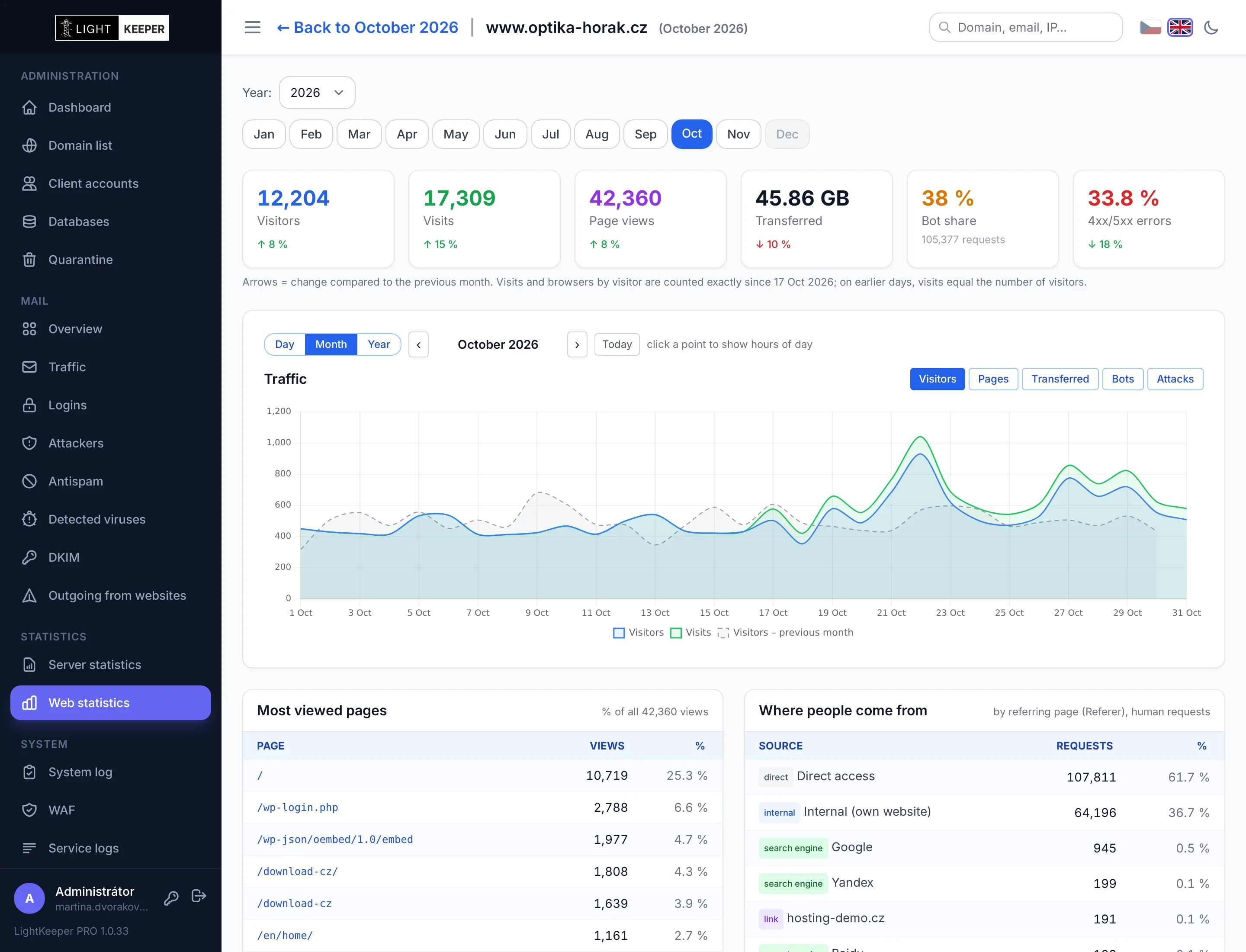
Statistics are calculated from server logs: visitors, page views, data transferred, share of bots and errors, top pages and traffic sources. The chart switches between hours, days and months. Customers see the statistics in their portal too.

Web statistics: visitors, visits, page views, traffic chart and top pages
PHP errors

Which websites have code problems

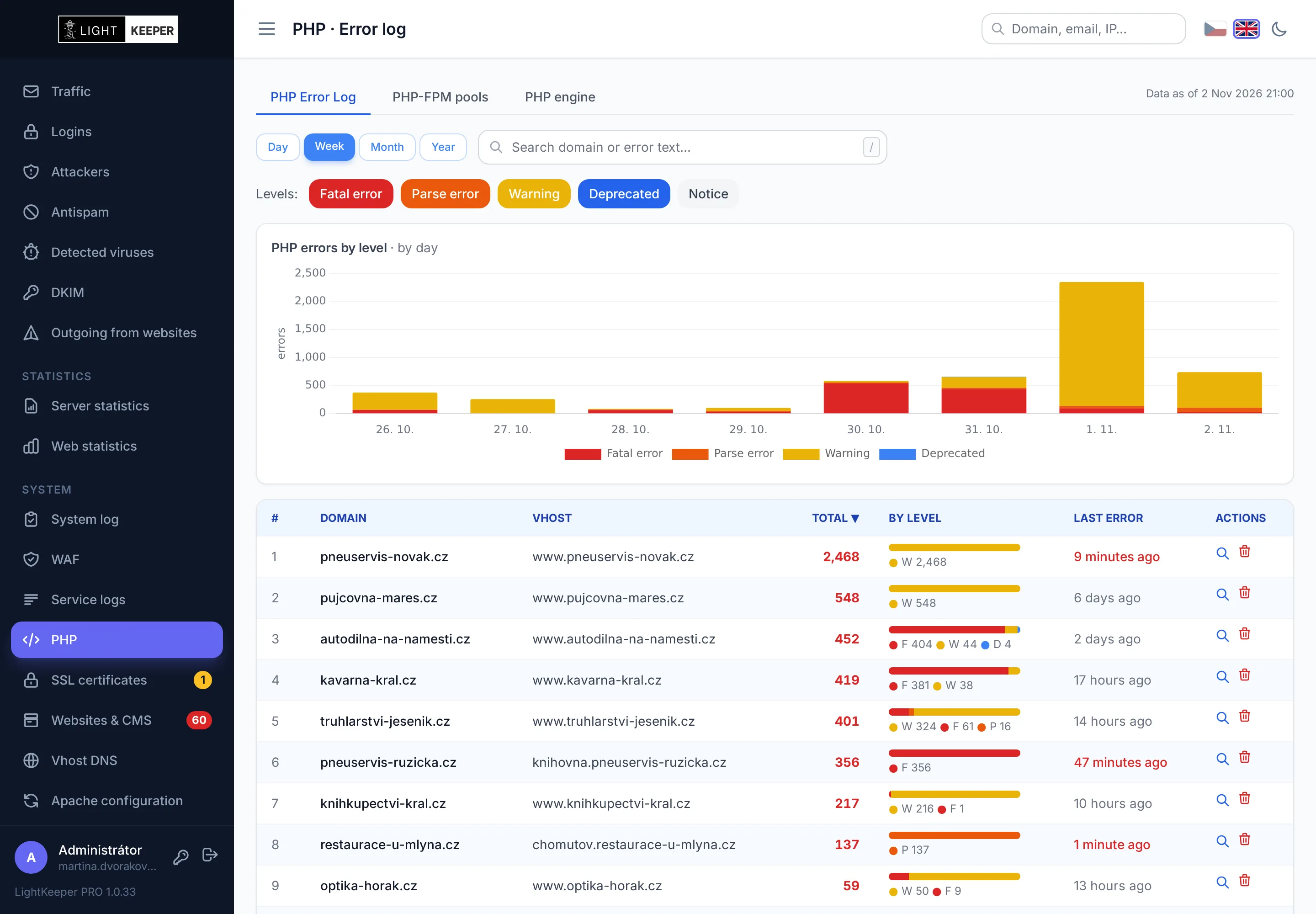
Errors from the web server log grouped by website and severity, with a daily chart. Before changing the PHP version, you know which websites are at risk.

PHP errors by level per day and a table of websites with error counts
System log

Who changed what, and what the system did on its own

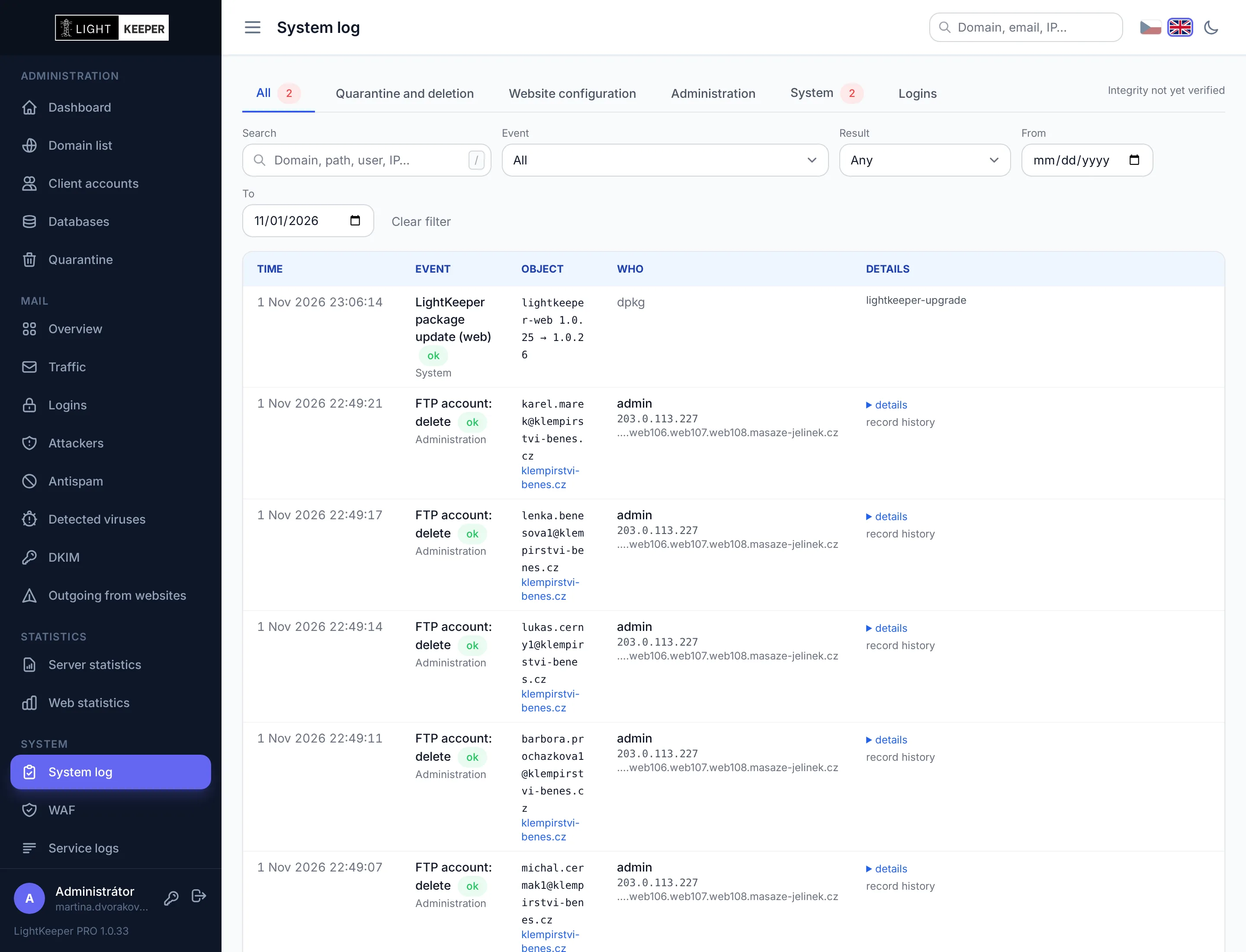
Changes in the admin interface and in the client portal with old and new values, moves to quarantine, server configuration, updates and unblocked IP addresses. More on the Reliable operation page.

System log: changes with old and new values, who made them and with what result
Server

Server load over time

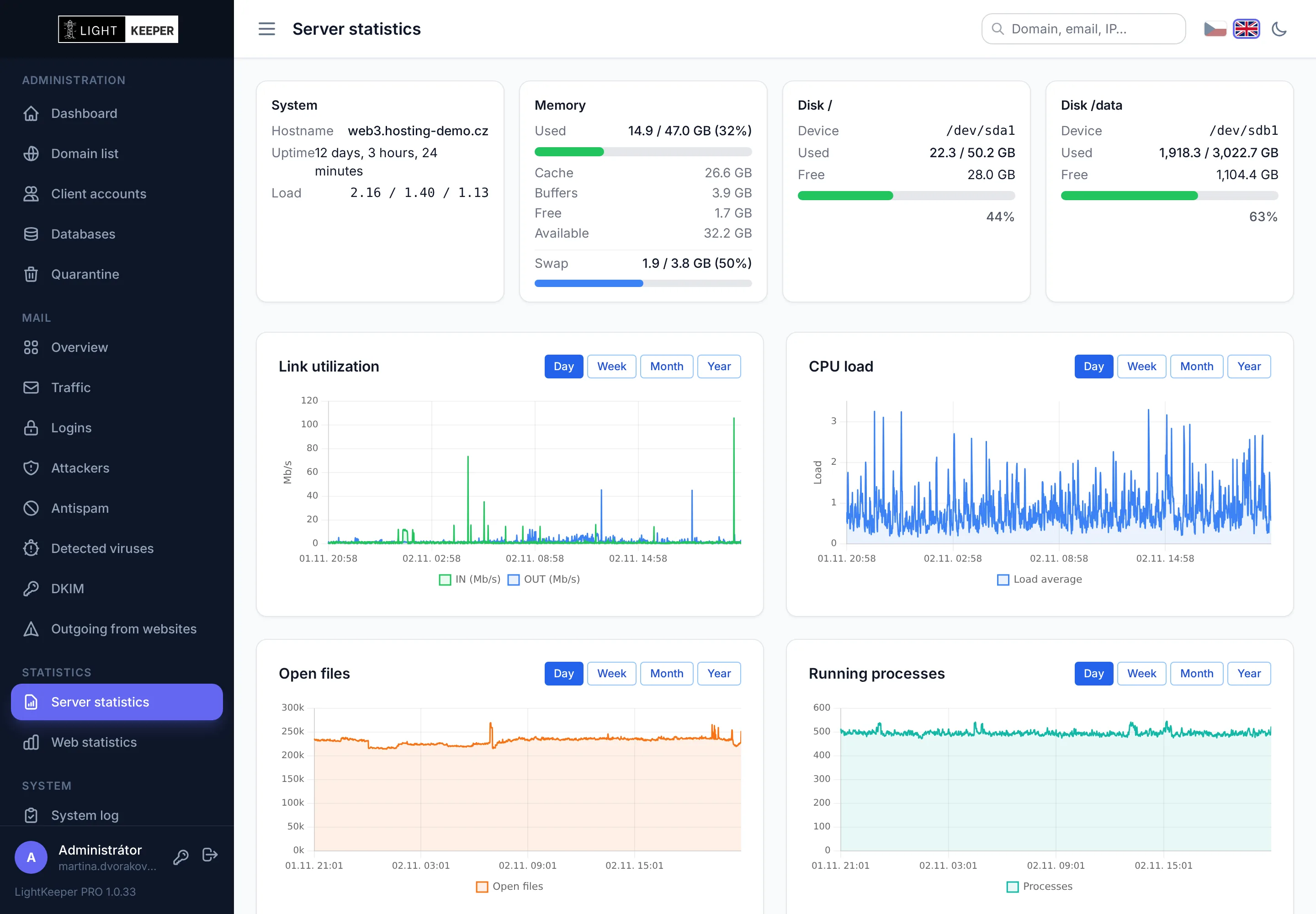
Memory, disks, network load, CPU load, open files and processes. By day, week, month and year.

Server statistics: memory, disks, network load, CPU load, open files and processes
My account

Passwordless sign-in

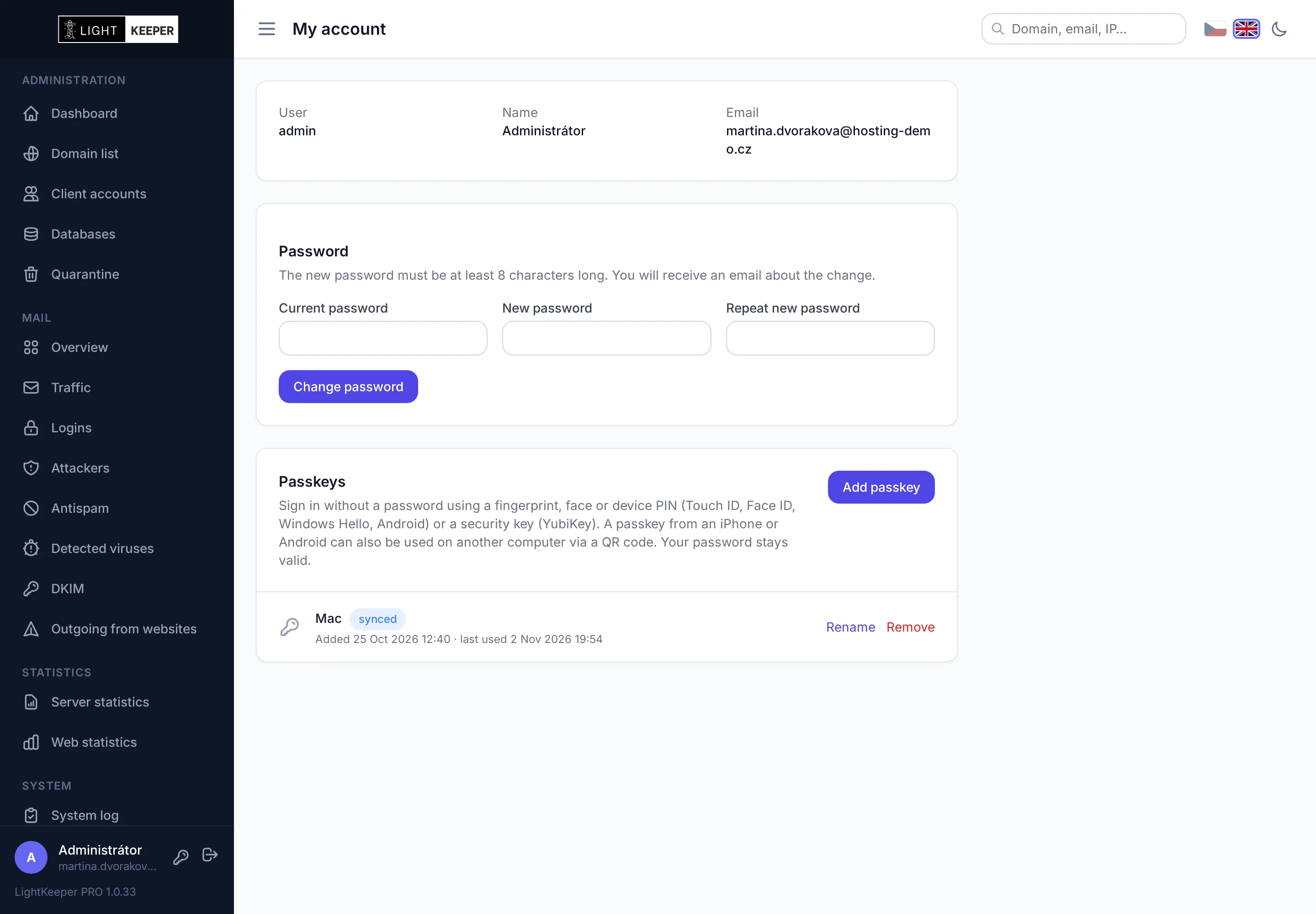
Administrators and customers can add a passkey: Touch ID, Face ID, Windows Hello, a phone or a YubiKey. Every new passkey and password change triggers an email.

My account: password change and passkeys
On mobile

The entire admin on your phone

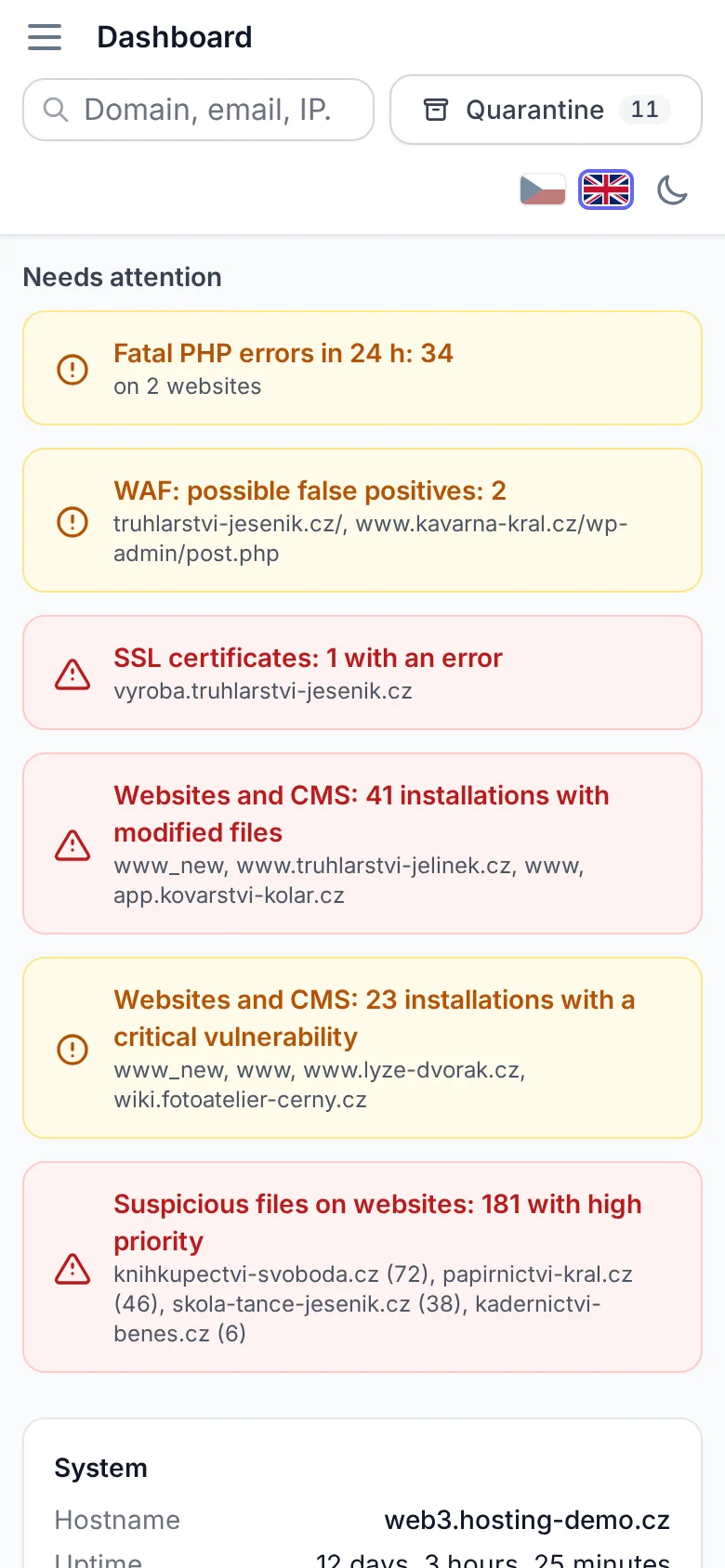
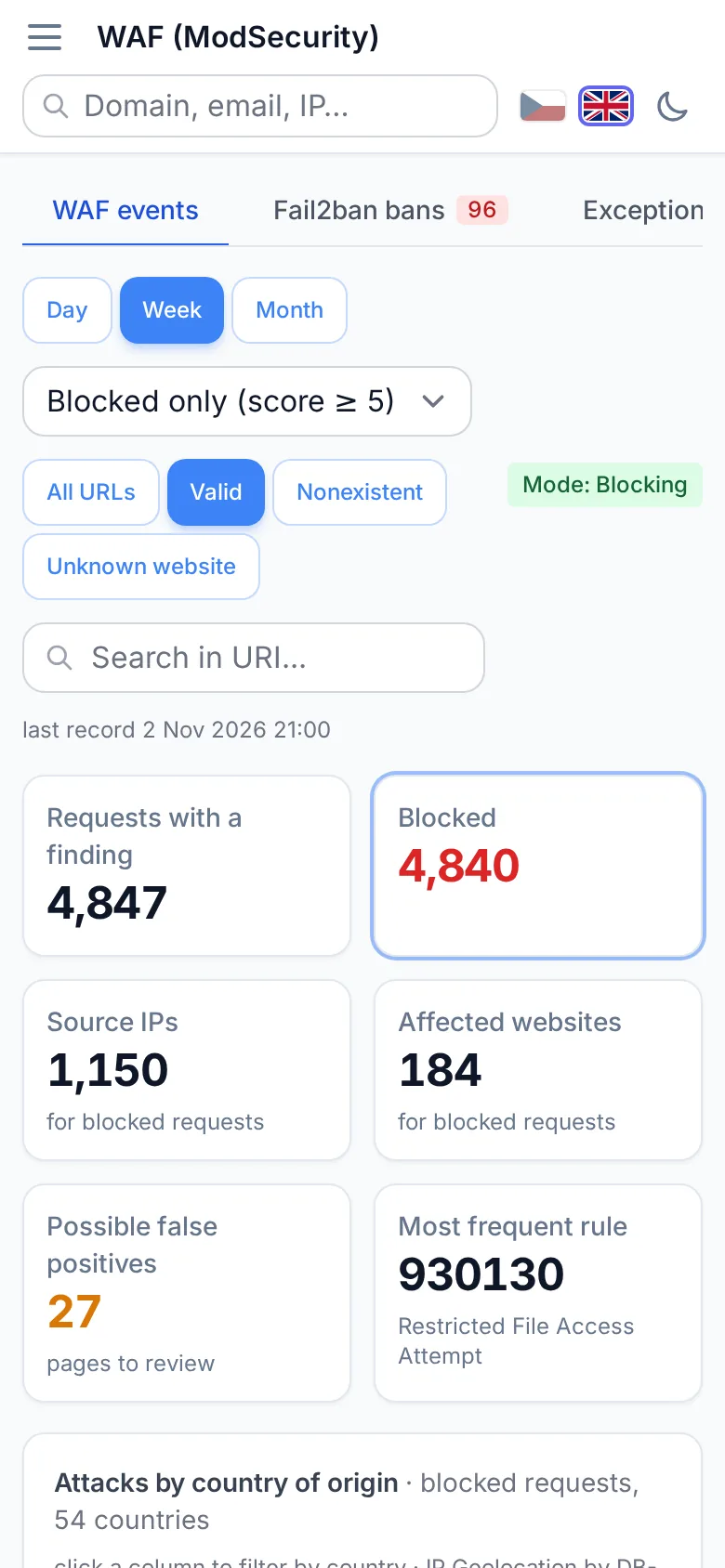
Every screen is optimized for mobile, tables are displayed as cards, and the admin can be added to your home screen as an app. When an alert comes in at night, you can check the details without a laptop.

Dashboard on mobile
WAF overview on mobile
Dark mode

Light and dark themes

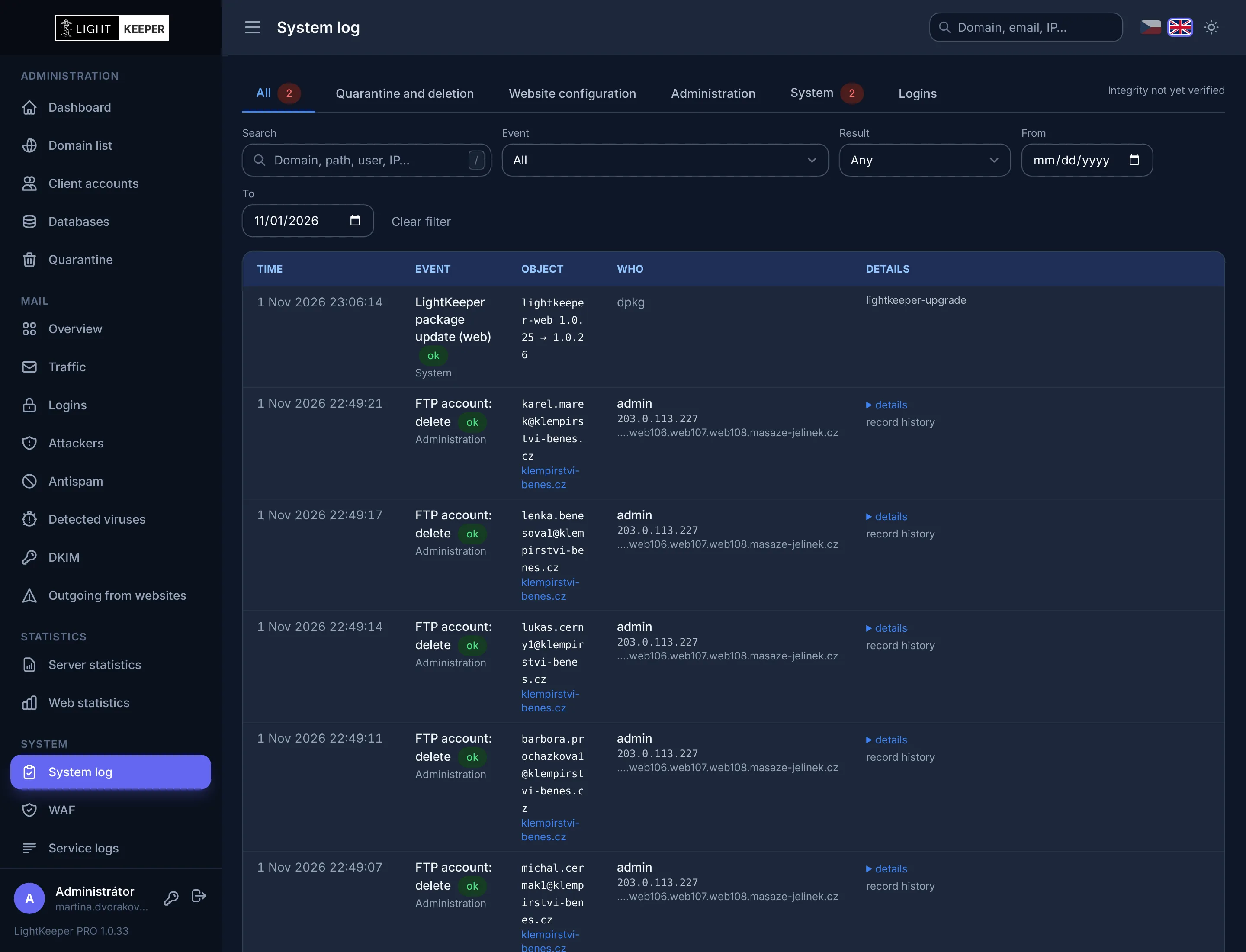
Switch the theme with one click in the admin header. Dark mode is available on every screen, including charts.

System log in dark mode

Want to deploy LightKeeper PRO on your servers?

Contact